 Our first app, Migrato, is live on the Shopify App Store

Template Documentation
Every column in the Redirects template, what it holds and the values it accepts. 3 min read
 Updated 14 October 2026
 Applies to Migrato on all plans
Redirect Template Documentation
Migrato uses a structured template for importing and exporting Shopify URL Redirects.
The template defines the columns that can be used to transfer redirect information between Migrato and Shopify.
You can use the template to:
-
 Prepare redirect data for import.
-
Understand exported redirect data.
-
Modify exported redirect data before re-importing.
-
Migrate URL redirect information.
-
Manage URL changes in bulk.
-
Maintain a consistent redirect data structure.
Download the available Redirect Demo CSV/XLSX file or export a sample Redirect file from Migrato to understand the current template structure.
Redirect Template Structure
The current Migrato Redirect template contains 3 columns, grouped under Basic Columns.
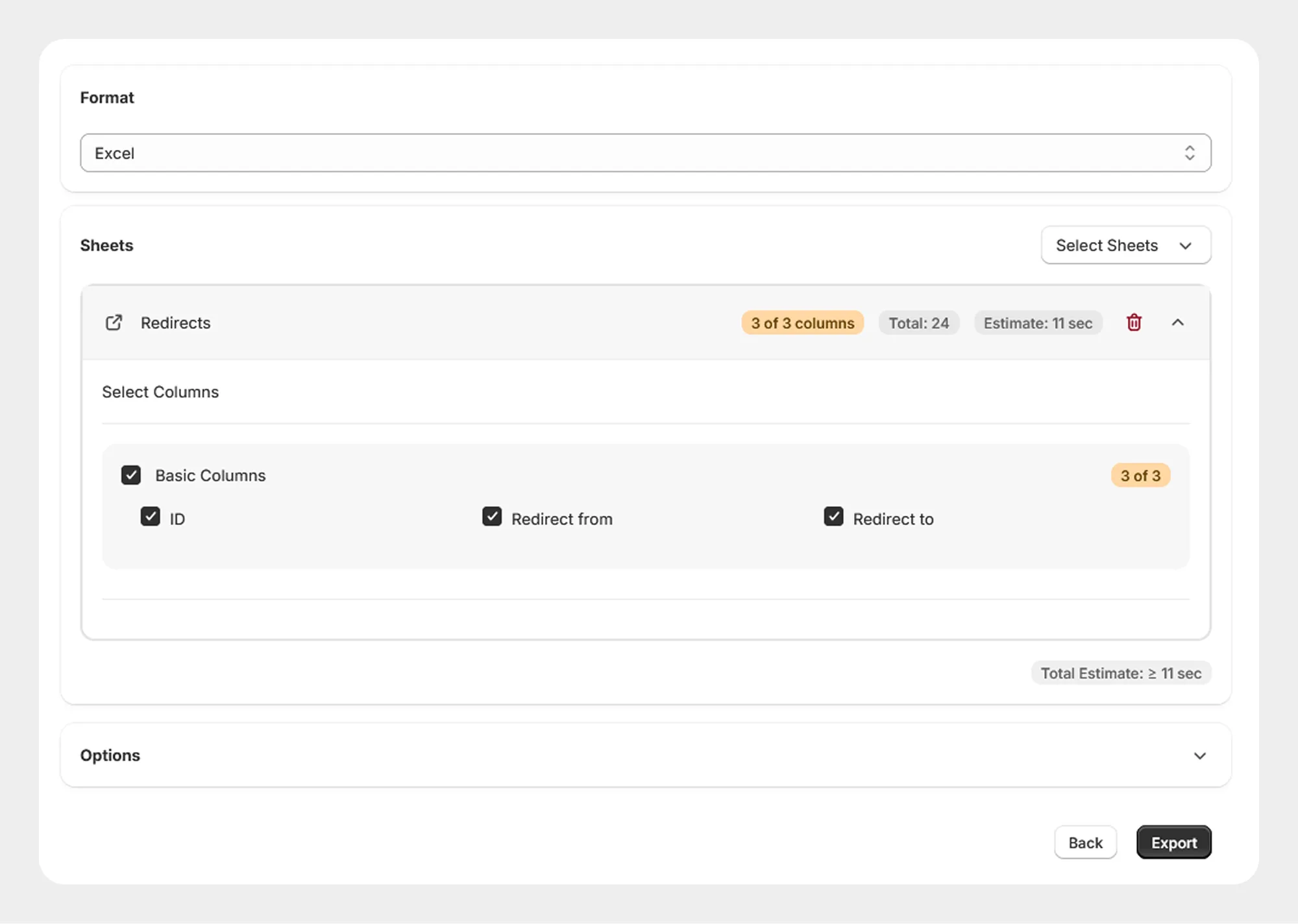
1. Basic Columns
The Basic Columns group contains the primary information required to identify and define a Shopify URL redirect.
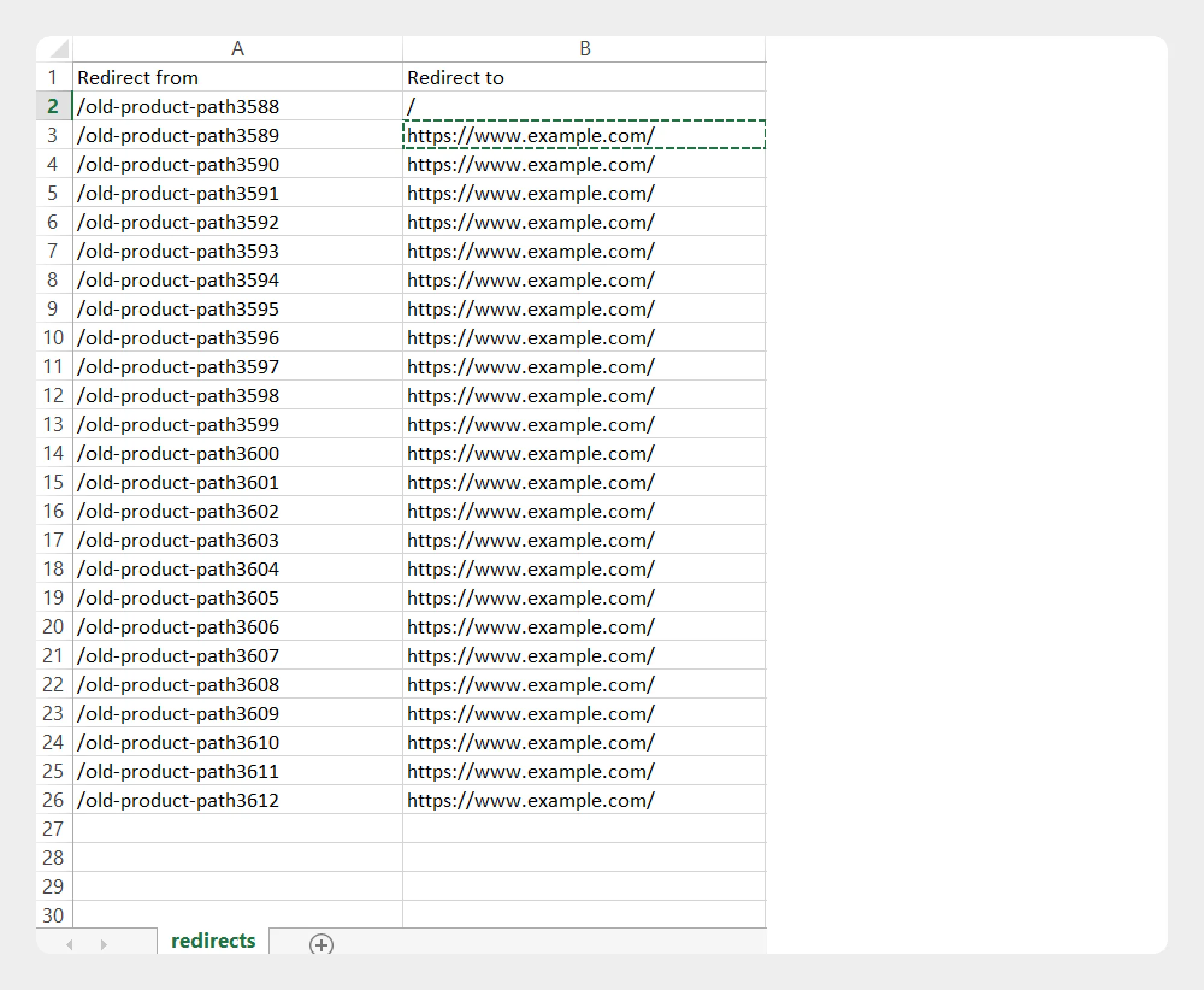
| Column | Description | Allowed Values / Examples |
|---|---|---|
| ID | Unique Shopify identifier assigned to the redirect. This field can be used to identify an existing redirect when working with exported data or supported update operations. | Number / Shopify Redirect ID |
| Redirect from | Specifies the source URL path from which the redirect should be applied. | Text — /old-product |
| Redirect to | Specifies the destination URL path to which the source URL should redirect. | Text — /products/new-product |
Redirect Template Example
A basic Redirect import/export file can contain data in the following structure:
| ID | Redirect from | Redirect to |
|---|---|---|
| 123456789 | /old-product | /products/new-product |
| 123456790 | /old-collection | /collections/new-collection |
| 123456791 | /old-page | /pages/new-page |
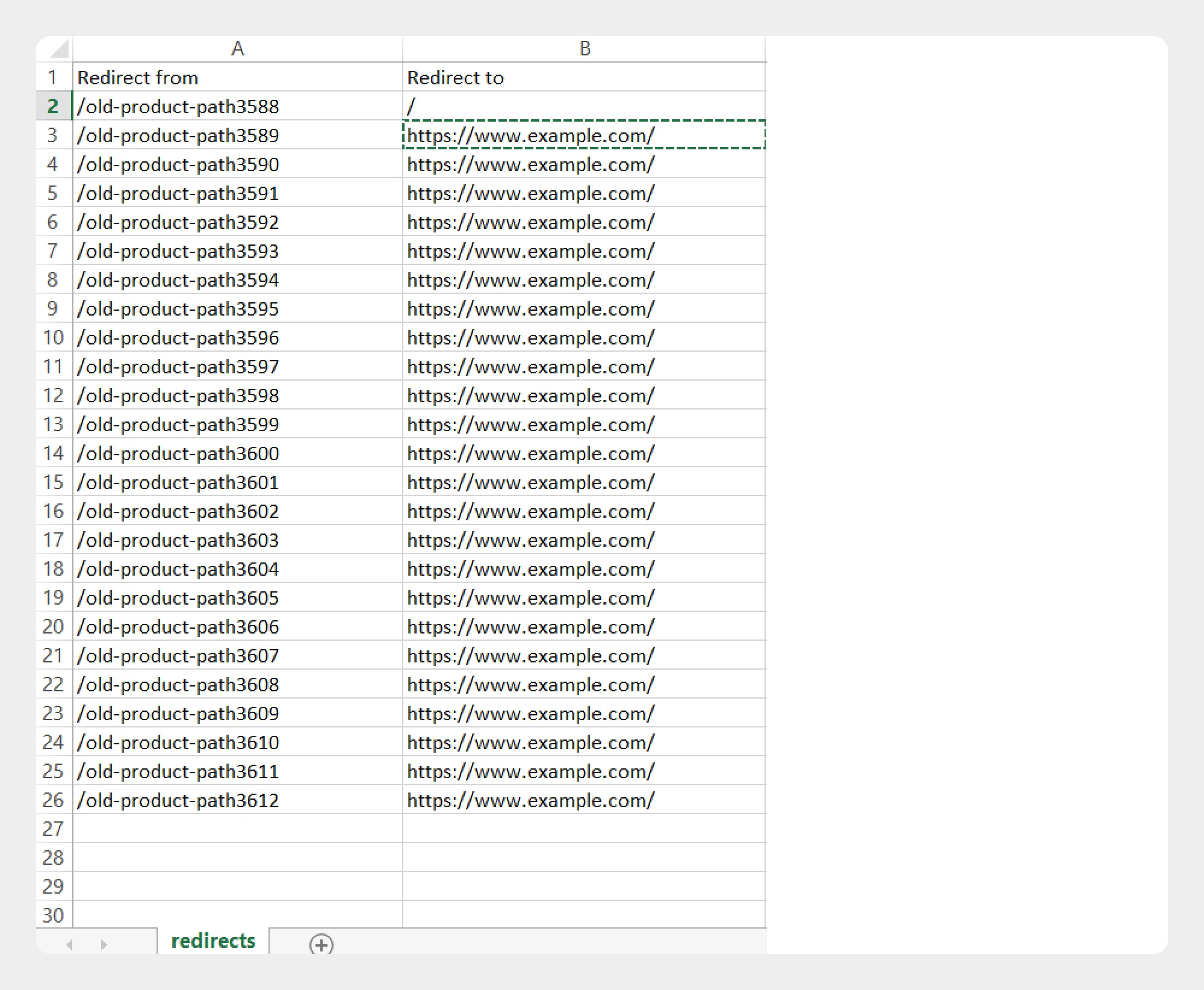
When creating new redirects, follow the Migrato Redirect Template structure and provide the appropriate Redirect from and Redirect to values.
Understanding Redirect Fields
ID
The ID identifies the Shopify redirect record.
For exported data, Migrato can include the Shopify redirect ID. When preparing new redirect records, follow the import requirements of the selected operation.
Redirect from
The Redirect from field specifies the old or source URL path.
For example:
/old-product
This represents the URL path that visitors may access before being redirected.
Redirect to
The Redirect to field specifies the destination URL path.
For example:
/products/new-product
This represents the URL where the visitor should be redirected.
Preparing a Redirect Import File
When preparing a Redirect import file:
- Download the Redirect Demo CSV/XLSX file, if available.
- Review the Redirect Template Documentation.
- Keep the supported column names unchanged.
- Enter the redirect source and destination values according to the expected format.
- Save the file as CSV or XLSX.
- Upload the file to Migrato or provide its publicly accessible URL.
- Select the required import operation.
- Review the import data before starting the job.
For the safest workflow, use a Migrato-generated Redirect export as a starting point when preparing data for a subsequent import.
Important Notes
-
Redirect from and Redirect to should contain the intended source and destination paths.
-
Review every redirect mapping carefully before importing.
-
Avoid creating incorrect or unintended redirect destinations.
-
When updating existing redirects, make sure the data can be matched according to the selected import operation.
-
Test a small number of redirects before processing a large redirect file.
-
When importing from a URL, make sure the file is publicly accessible to Migrato.
-
The exact import behavior may vary depending on the selected operation and the current Migrato implementation.
The current Redirect Template contains 3 columns: ID, Redirect from, and Redirect to.
 Free plan forever