 Our first app, Migrato, is live on the Shopify App Store

Template Documentation
Migrato uses a structured template for importing and exporting Shopify Page data. The template defines the columns that can be used to transfer Page information between Migrato and Shopify. You can use the template to:
-
 Prepare Page data for import.
-
Understand exported Page data.
-
Modify exported Page data before re-importing.
-
Migrate Page information.
-
Maintain a consistent Page data structure.
Before preparing your file: Download the available Page Demo CSV/XLSX file or export a sample Page file from Migrato to understand the current template structure.
Page Template Structure
The Page template contains the following field groups:
- Basic Columns
- Metafields
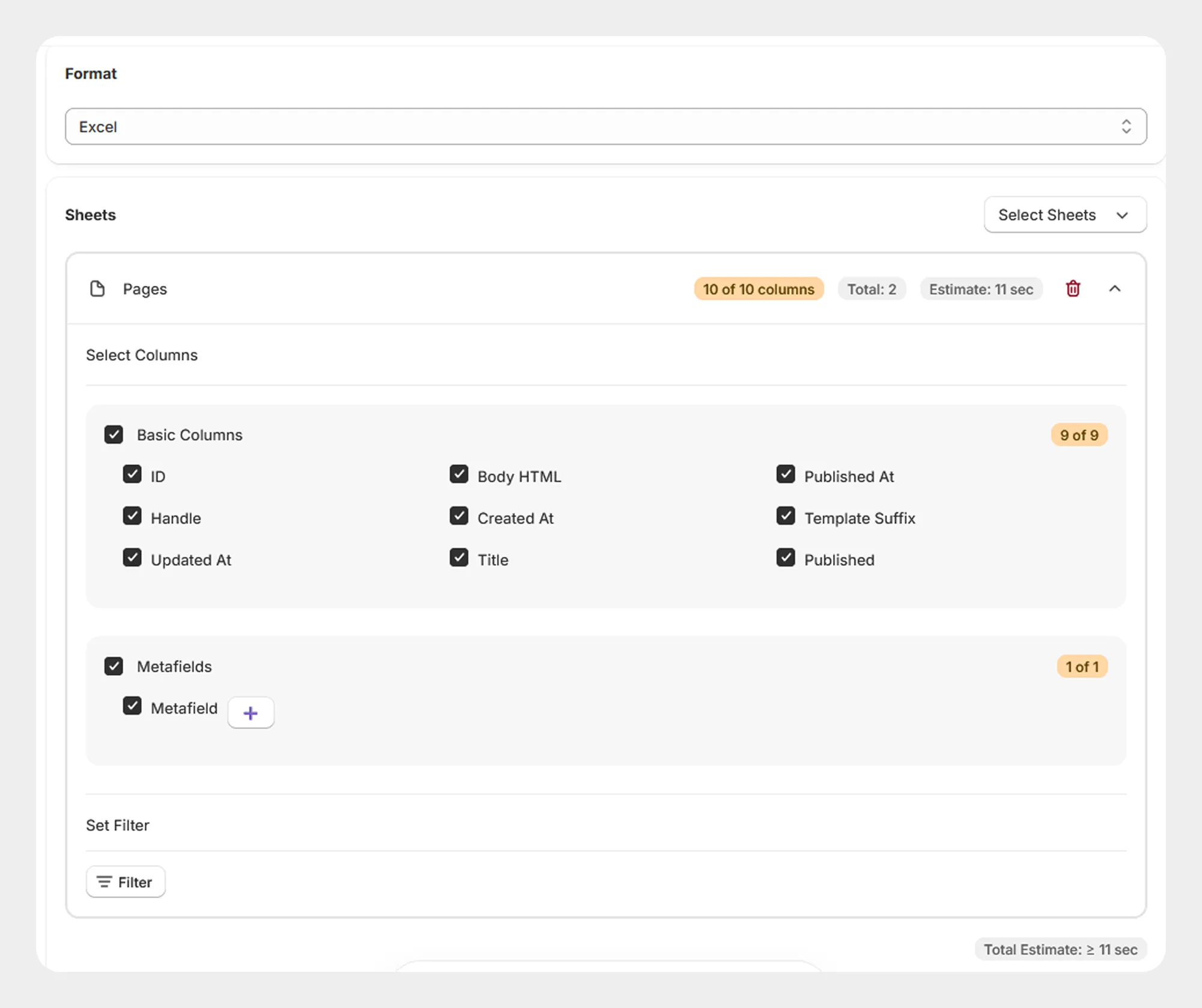
Basic Columns
The Basic Columns group contains the primary information used to identify and manage Shopify Pages.
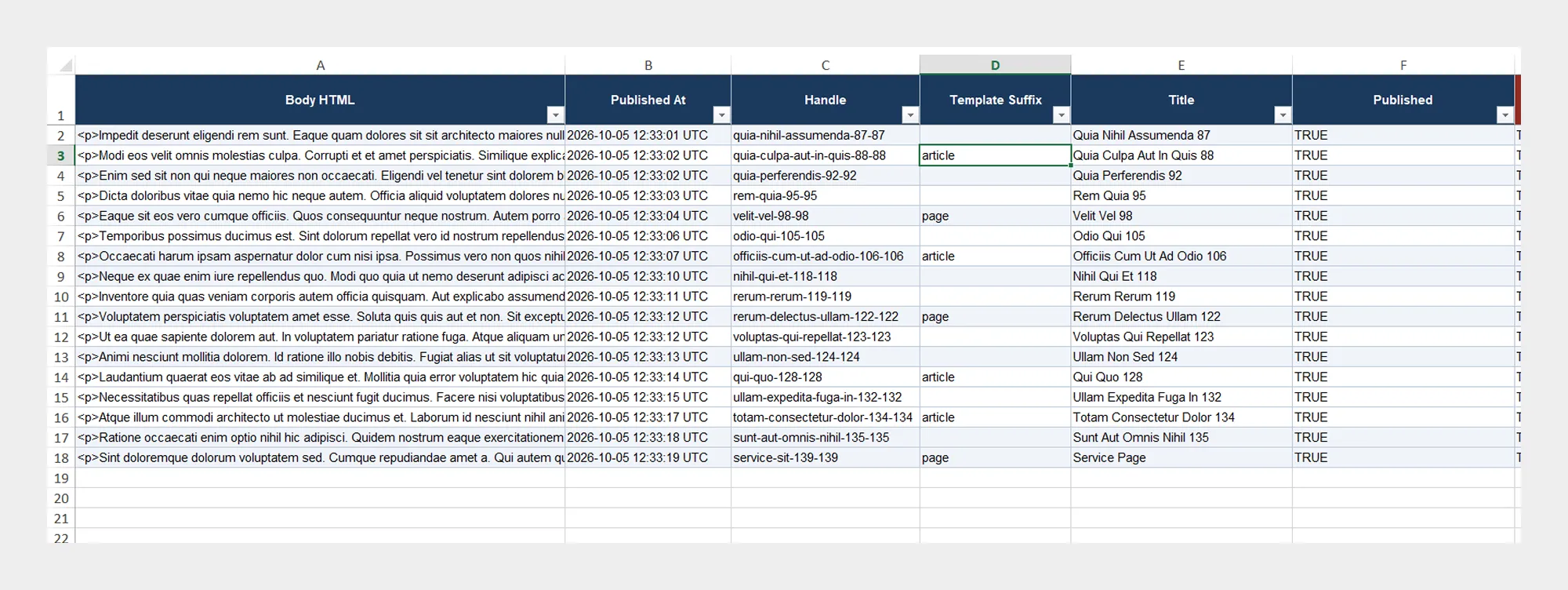
| Column | Description | Allowed Values / Examples |
|---|---|---|
| ID | Unique Shopify identifier of the Page. | Number / Shopify Page ID |
| Body HTML | Contains the HTML content of the Page. | HTML content |
| Published At | URL-friendly identifier used in the Page URL. | Date/time |
| Handle | URL-friendly identifier used in the Page URL. | Text — about-us |
| Created At | Date and time when the Page was created. | Date/time |
| Template Suffix | Identifies the custom Page template suffix assigned to the Page. | Text — custom |
| Updated At | Date and time when the Page was last updated. | Date/time |
| Title | Title of the Page. | Text — About Us |
| Published | Indicates whether the Page is published. | Yes / No |
2. Metafields
The Metafields group contains supported metafield information associated with the Shopify Page.
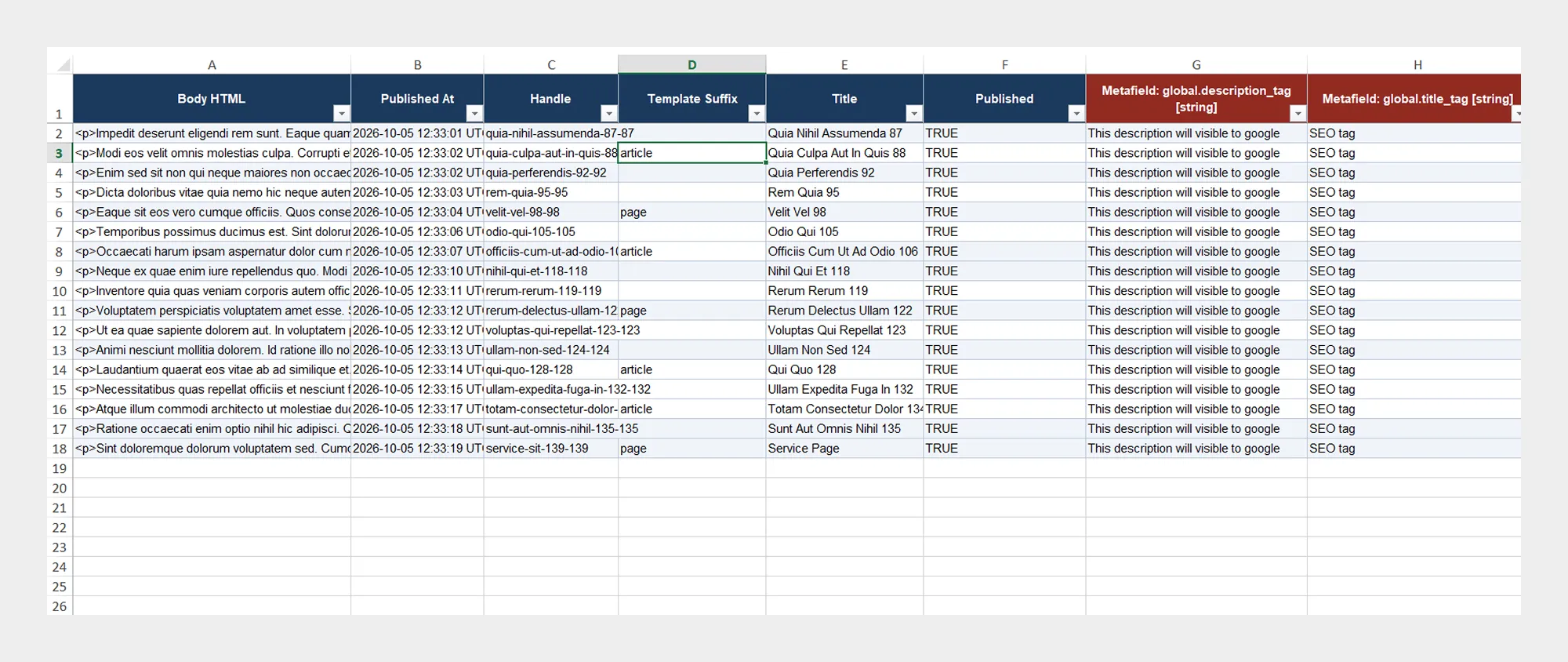
| Column | Description | Allowed Values / Examples |
|---|---|---|
| Metafield | Contains supported metafield information associated with the Page. | Metafield data configured for the Shopify store |
Important: Metafield data should match the metafield definitions configured in your Shopify store.
Preparing a Page Import File
When preparing a Page import file:
- Download the Page Demo CSV/XLSX file, if available.
- Review the Page Template Documentation.
- Keep the required column names unchanged.
- Enter Page information according to the expected format.
- Make sure the Handle values are appropriate for the Page URLs.
- Make sure HTML content in Body HTML is correctly formatted.
- Save the file as CSV or XLSX.
- Upload the file to Migrato or provide its publicly accessible URL.
- Review the import operation before starting the job.
Tip: For the safest workflow, use a Migrato-generated Page export as a starting point when preparing data for a subsequent import.
 Install Migrato free
 Free plan forever