 Our first app, Migrato, is live on the Shopify App Store

Template Documentation
Every column in the Companies template, what it holds and the values it accepts. 6 min read
 Updated 14 October 2026
 Applies to Migrato on all plans
Company Template Documentation
Migrato uses a structured template for importing and exporting Shopify Company data.
The template defines the columns that can be used to transfer Company information between Migrato and Shopify.
You can use the template to:
-
 Prepare Company data for import.
-
Understand exported Company data.
-
Modify exported Company data before re-importing.
-
Migrate Company information.
-
Manage Company locations and linked customers.
-
Maintain a consistent Company data structure.
Download the available Company Demo CSV/XLSX file or export a sample Company file from Migrato to understand the current template structure.
Company Template Structure
Company data is organized into several groups in the Migrato template.
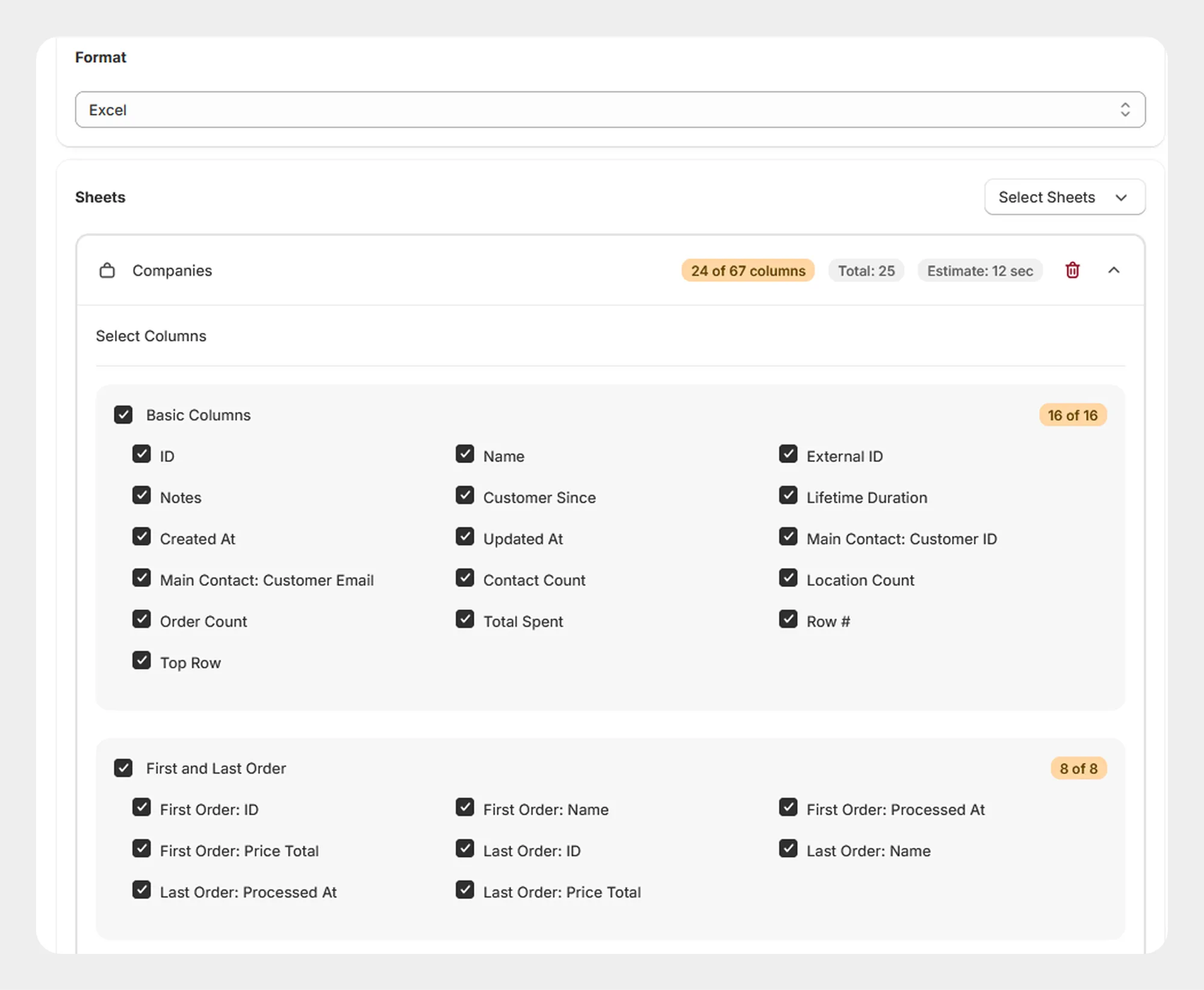
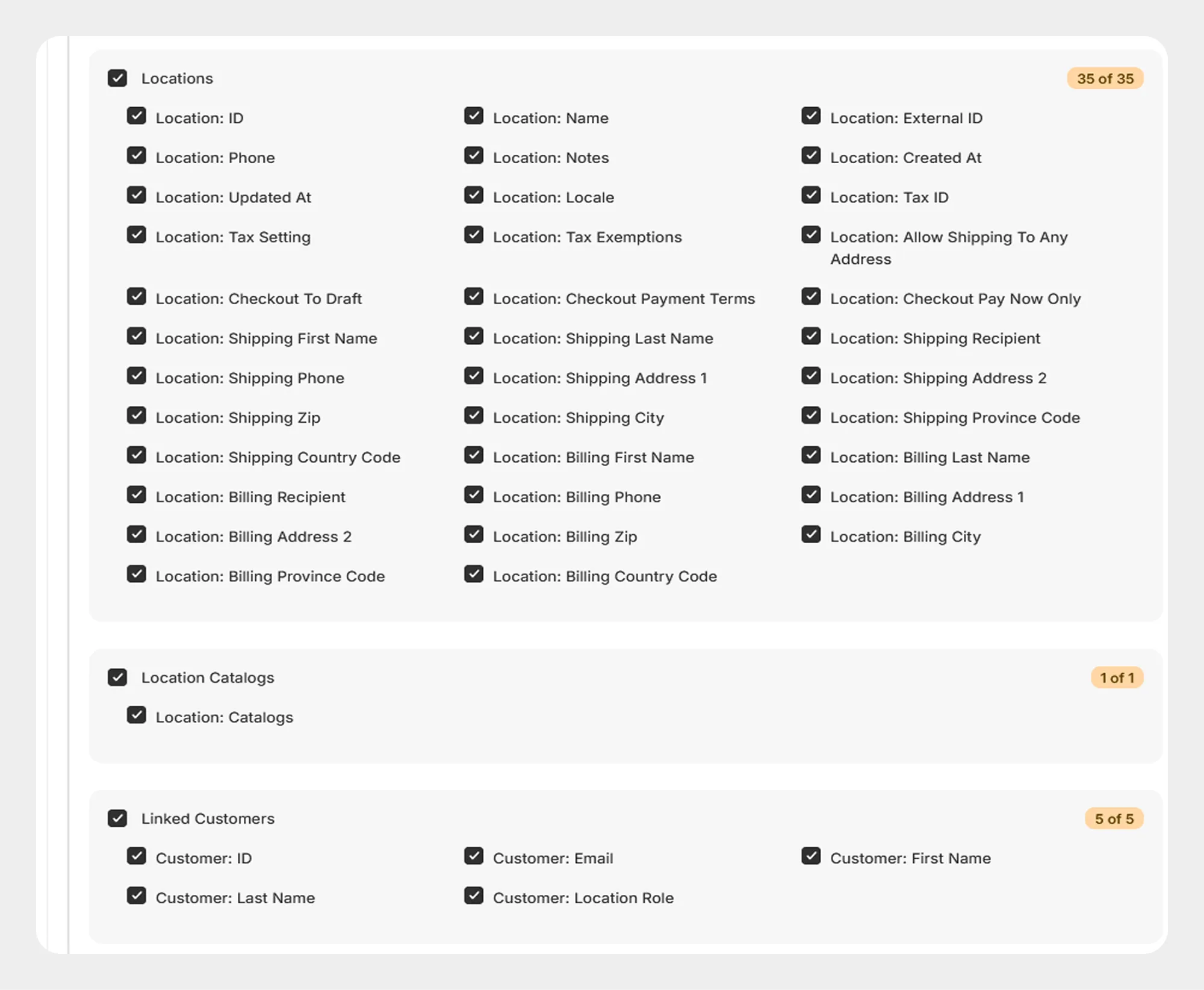
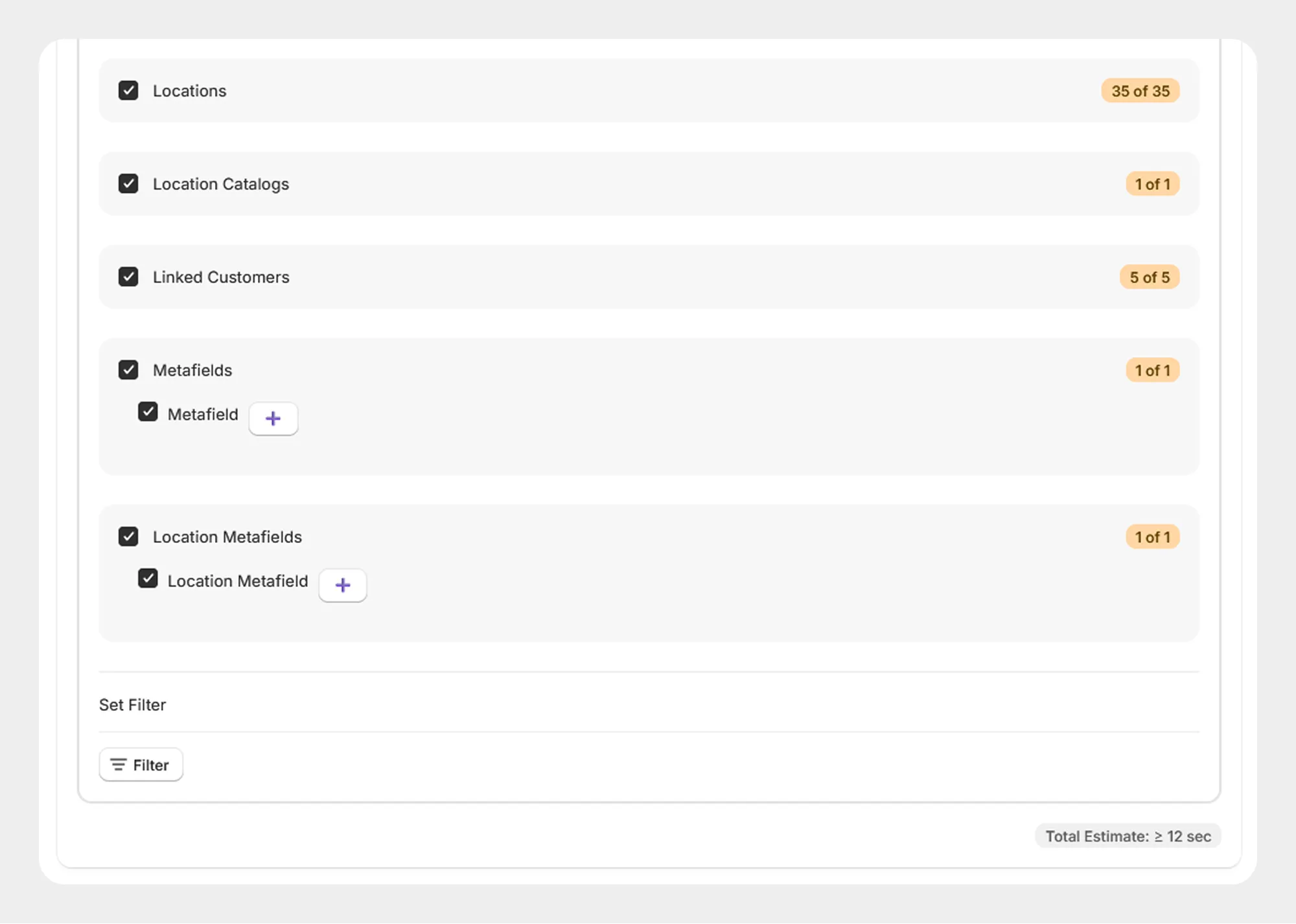
The following sections describe the supported Company template fields.
1. Basic Columns
The Basic Columns group contains the primary information used to identify and describe a Company.
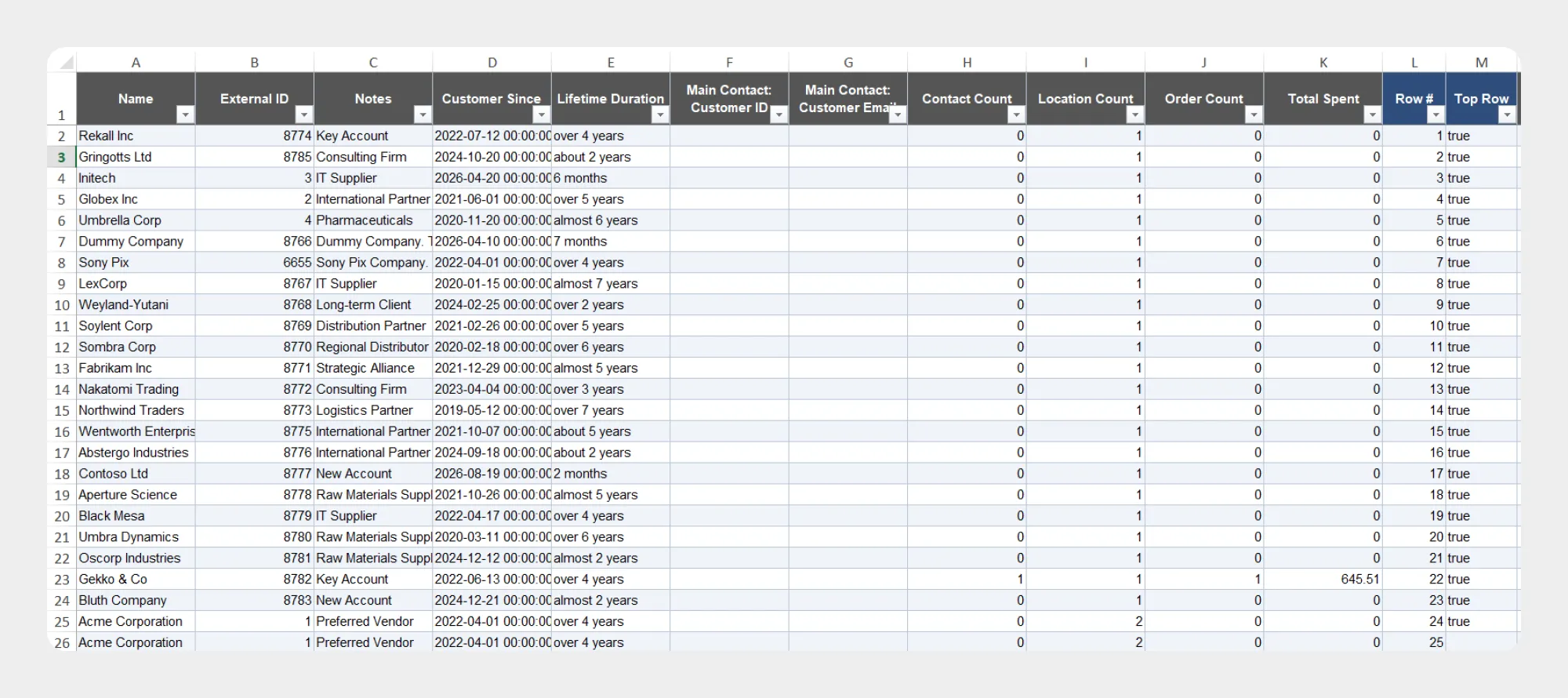
| Column | Description | Allowed Values / Examples |
|---|---|---|
| ID | Unique Shopify identifier of the Company. | Number / Shopify Company ID |
| Name | Name of the Company. | Text — Example Company |
| External ID | External identifier associated with the Company. | Text or identifier |
| Notes | Additional notes associated with the Company. | Text |
| Customer Since | Date associated with the Company's customer relationship. | Date |
| Lifetime Duration | Lifetime duration associated with the Company. | Numeric value / duration |
| Created At | Date and time when the Company was created. | Date and time |
| Updated At | Date and time when the Company was last updated. | Date and time |
| Main Contact: Customer ID | Shopify Customer ID of the Company's main contact. | Number / Customer ID |
| Main Contact: Customer Email | Email address of the Company's main contact. | Email address |
| Contact Count | Number of contacts associated with the Company. | Number |
| Location Count | Number of locations associated with the Company. | Number |
| Order Count | Number of orders associated with the Company. | Number |
| Total Spent | Total amount spent by the Company. | Numeric amount |
| Row # | Row reference used in the template structure. | Number |
| Top Row | Indicates the top/header row structure used by the template. | Template value |
2. First and Last Order
The First and Last Order group contains information about the Company's first and most recent order.
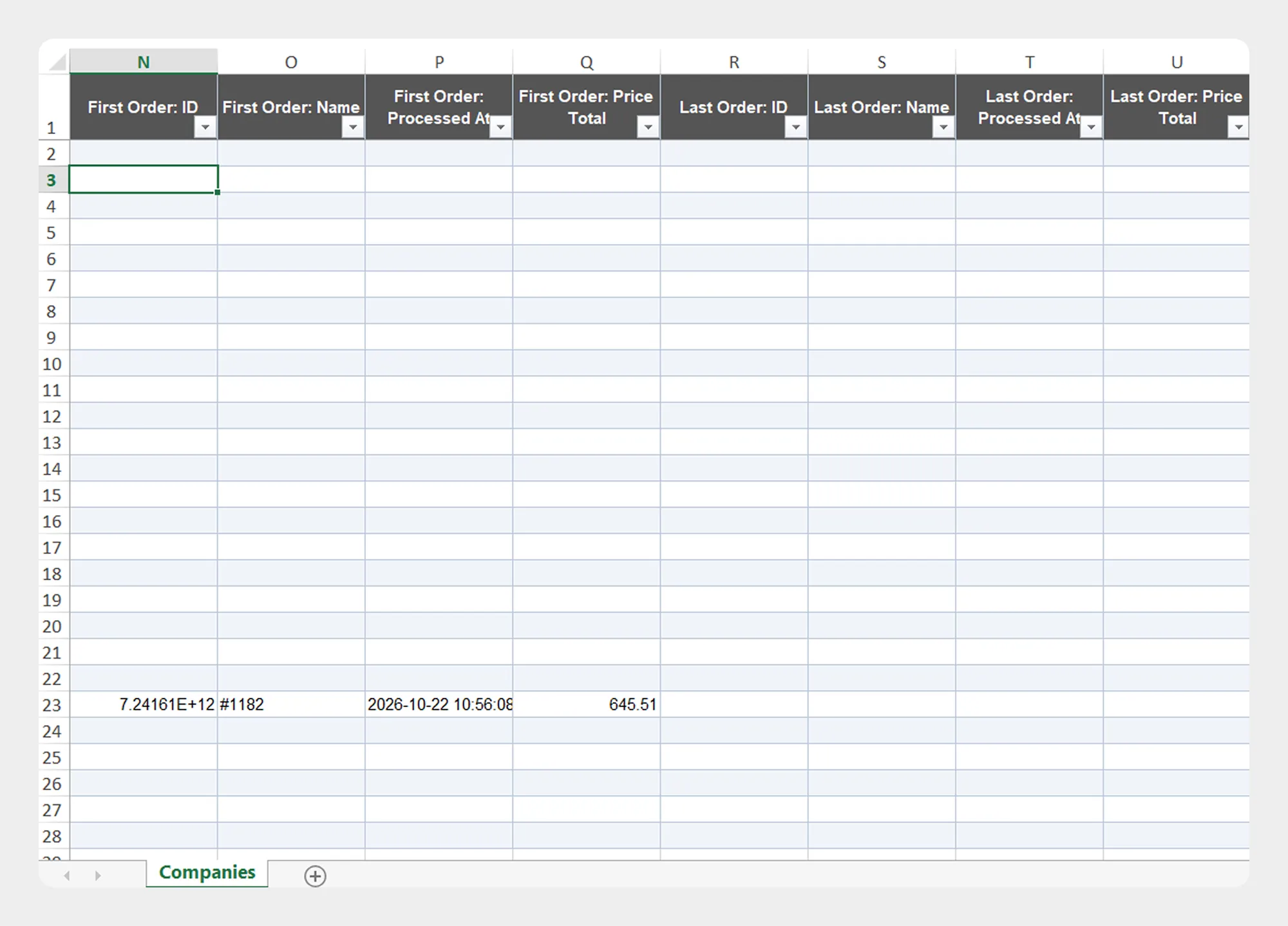
| Column | Description | Allowed Values / Examples |
|---|---|---|
| First Order: ID | Shopify ID of the Company's first order. | Number / Order ID |
| First Order: Name | Name or order number of the Company's first order. | Text — #1001 |
| First Order: Processed At | Date and time when the first order was processed. | Date and time |
| First Order: Price Total | Total price of the Company's first order. | Numeric amount |
| Last Order: ID | Shopify ID of the Company's most recent order. | Number / Order ID |
| Last Order: Name | Name or order number of the Company's most recent order. | Text — #1050 |
| Last Order: Processed At | Date and time when the most recent order was processed. | Date and time |
| Last Order: Price Total | Total price of the Company's most recent order. | Numeric amount |
First and Last Order fields are primarily useful for exported Company data and may not be used as primary Company creation fields during import.
3. Locations
The Locations group contains information about locations associated with a Company.
A Company can have multiple locations. Location information may include contact details, addresses, tax settings, checkout settings, and other supported location information.
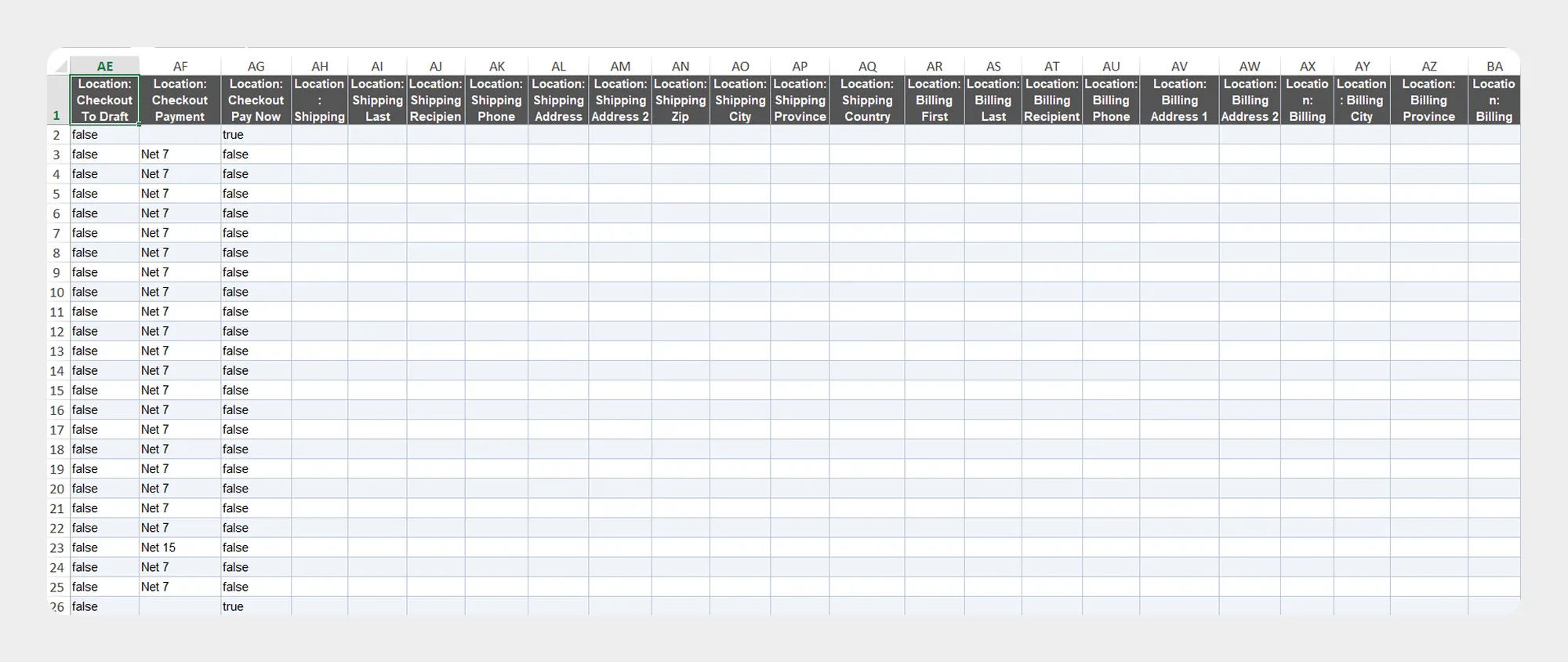
| Column | Description | Allowed Values / Examples |
|---|---|---|
| Location: ID | Unique Shopify identifier of the Company location. | Number / Location ID |
| Location: Name | Name of the Company location. | Text — New York Office |
| Location: External ID | External identifier assigned to the location. | Text or identifier |
| Location: Phone | Phone number associated with the location. | Phone number |
| Location: Notes | Notes associated with the location. | Text |
| Location: Created At | Date and time when the location was created. | Date and time |
| Location: Updated At | Date and time when the location was last updated. | Date and time |
| Location: Locale | Locale associated with the location. | Locale code |
| Location: Tax ID | Tax identifier associated with the location. | Text / tax ID |
| Location: Tax Setting | Tax setting associated with the location. | Supported Shopify value |
| Location: Tax Exemptions | Tax exemptions associated with the location. | Supported Shopify value |
| Location: Allow Shipping To Any Address | Indicates whether shipping to any address is allowed. | Yes / No |
| Location: Checkout To Draft | Indicates whether checkout is configured to create a draft order. | Yes / No |
| Location: Checkout Payment Terms | Payment terms configured for checkout. | Supported value |
| Location: Checkout Pay Now Only | Indicates whether checkout is limited to pay-now transactions. | Yes / No |
| Location: Shipping First Name | First name used for the shipping address. | Text |
| Location: Shipping Last Name | Last name used for the shipping address. | Text |
| Location: Shipping Recipient | Shipping recipient name. | Text |
| Location: Shipping Phone | Phone number for the shipping address. | Phone number |
| Location: Shipping Address 1 | Primary shipping address line. | Text |
| Location: Shipping Address 2 | Additional shipping address information. | Text |
| Location: Shipping Zip | Shipping postal or ZIP code. | Text |
| Location: Shipping City | Shipping city. | Text |
| Location: Shipping Province Code | Shipping province or state code. | Code |
| Location: Shipping Country Code | Shipping country code. | ISO country code |
| Location: Billing First Name | First name used for the billing address. | Text |
| Location: Billing Last Name | Last name used for the billing address. | Text |
| Location: Billing Recipient | Billing recipient name. | Text |
| Location: Billing Phone | Phone number for the billing address. | Phone number |
| Location: Billing Address 1 | Primary billing address line. | Text |
| Location: Billing Address 2 | Additional billing address information. | Text |
| Location: Billing Zip | Billing postal or ZIP code. | Text |
| Location: Billing City | Billing city. | Text |
| Location: Billing Province Code | Billing province or state code. | Code |
| Location: Billing Country Code | Billing country code. | ISO country code |
4. Location Catalogs
The Location Catalogs group contains catalog information associated with Company locations.
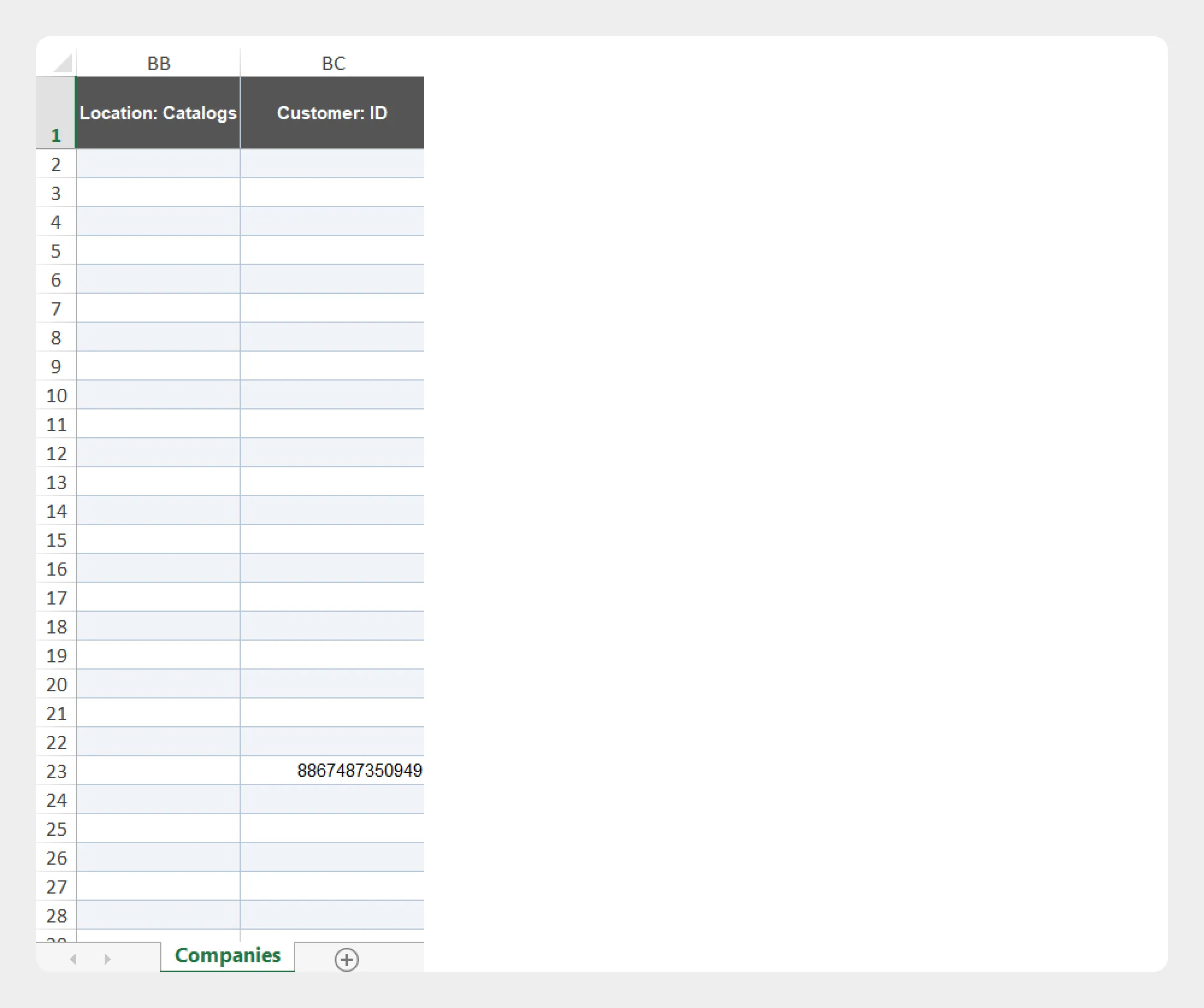
| Column | Description | Allowed Values / Examples |
|---|---|---|
| Location: Catalogs | Catalogs associated with the Company location. | Supported catalog data |
5. Linked Customers
The Linked Customers group contains customers associated with the Company and their Company location role.
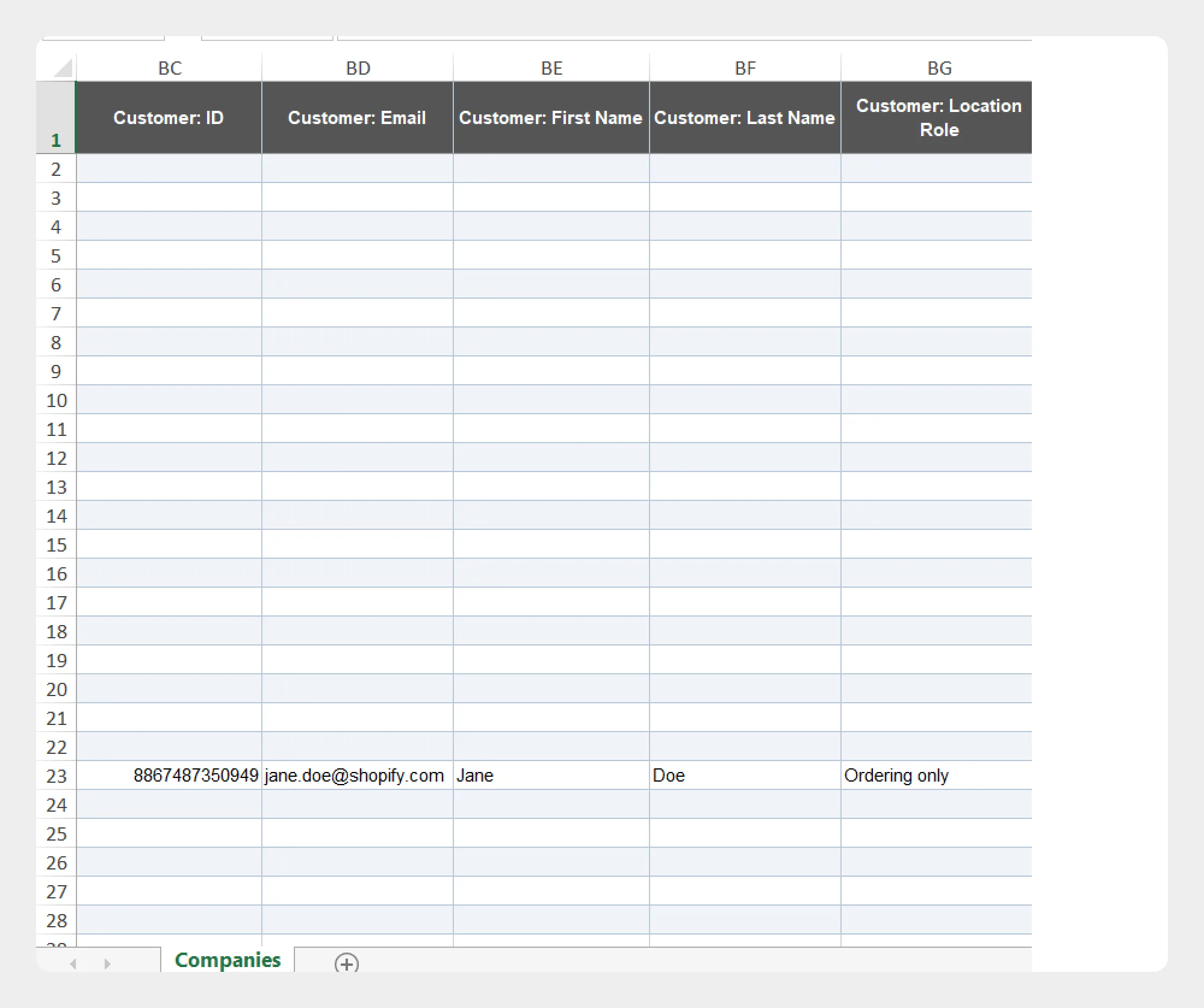
| Column | Description | Allowed Values / Examples |
|---|---|---|
| Customer: ID | Shopify ID of the customer linked to the Company. | Number / Customer ID |
| Customer: Email | Email address of the linked customer. | Email address |
| Customer: First Name | First name of the linked customer. | Text |
| Customer: Last Name | Last name of the linked customer. | Text |
| Customer: Location Role | Role assigned to the customer for the Company location. | Supported Company location role |
6. Metafields
The Metafields group contains supported metafield information associated with the Company.
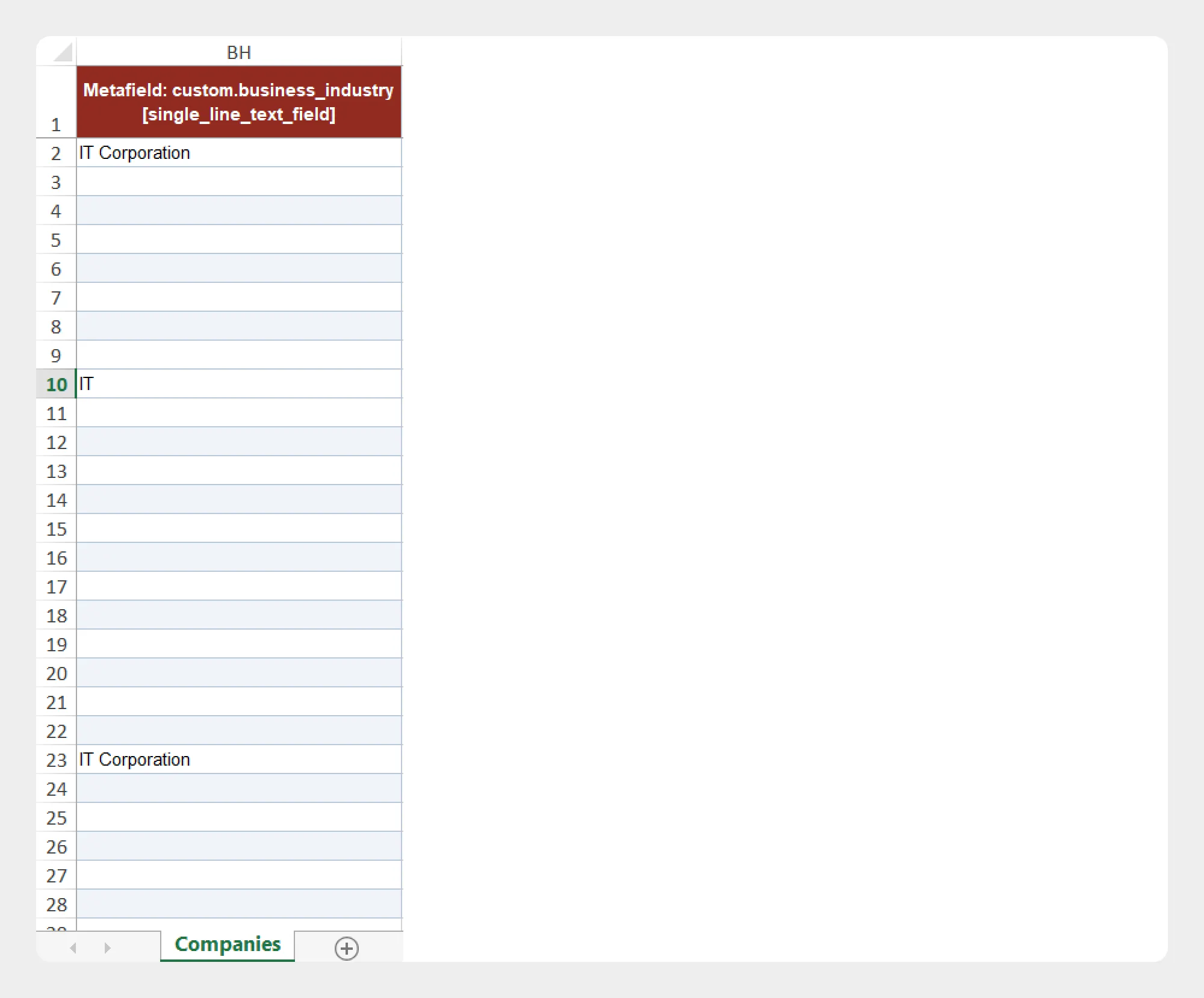
| Column | Description | Allowed Values / Examples |
|---|---|---|
| Metafield | Additional Company information stored using Shopify metafields. | Metafield data |
The metafield structure should match the metafield definitions configured for the Company in your Shopify store.
7. Location Metafields
The Location Metafields group contains supported metafield information associated with Company locations.
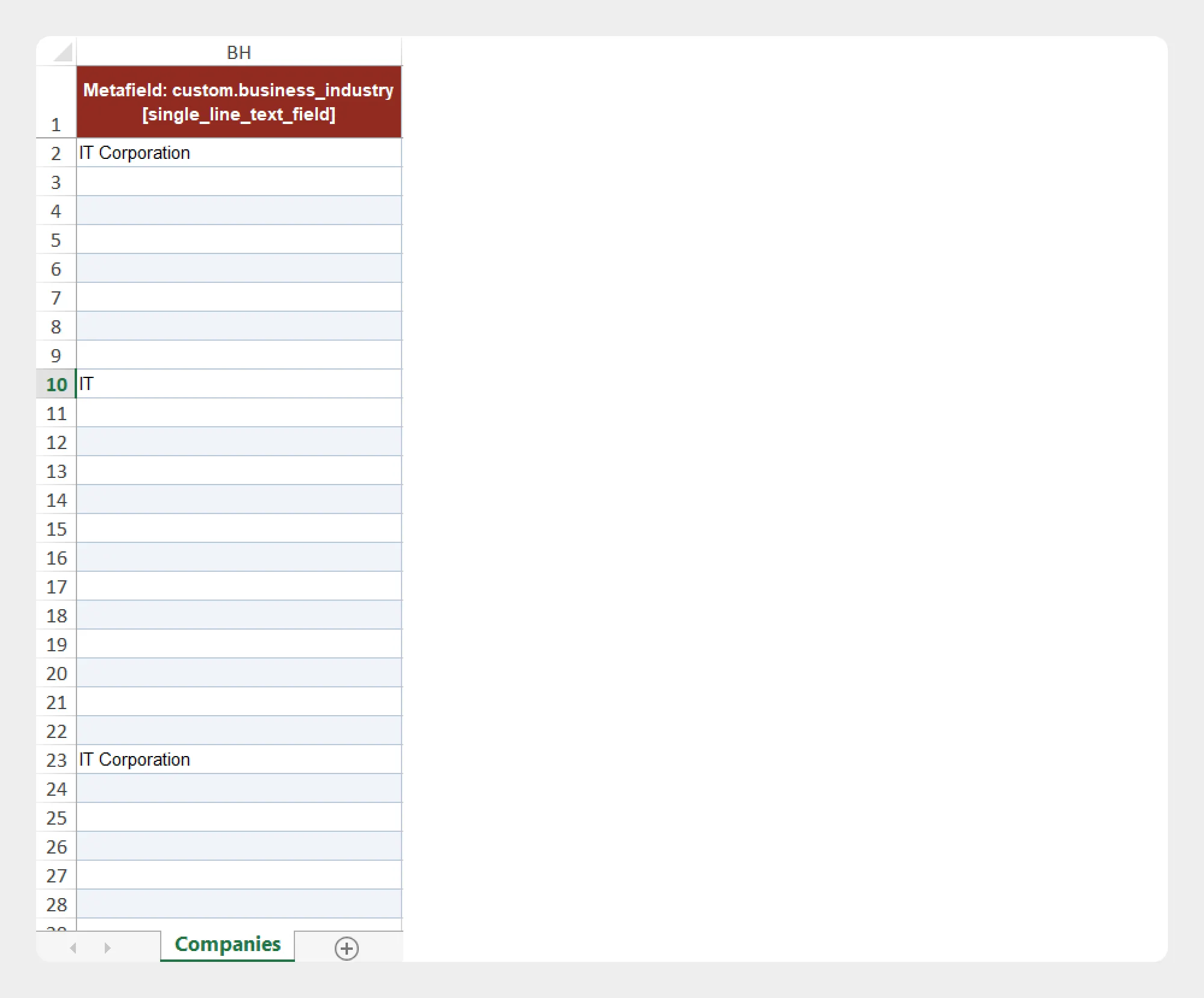
| Column | Description | Allowed Values / Examples |
|---|---|---|
| Location Metafield | Additional information stored using metafields associated with a Company location. | Location metafield data |
Make sure the location metafield structure matches the corresponding metafield definitions configured in Shopify.
Preparing a Company Import File
When preparing a Company import file:
- Download the Company Demo CSV/XLSX file, if available.
- Review the Company Template Documentation.
- Keep the required column names unchanged.
- Enter Company information according to the expected format.
- Add location, customer, catalog, and metafield information where required.
- Save the file as CSV or XLSX.
- Upload the file to Migrato or provide its publicly accessible URL.
- Review the selected import operation.
- Review the import data and available options.
- Start the import.
For the safest workflow, use a Migrato-generated Company export as a starting point when preparing data for a subsequent import.
 Free plan forever