 Our first app, Migrato, is live on the Shopify App Store

Template Documentation
Every column in the Custom Collections template, what it holds and the values it accepts. 4 min read
 Updated 14 October 2026
 Applies to Migrato on all plans
Custom Collection Template Documentation
Migrato uses a structured template for importing and exporting Shopify Custom Collection data.
The template defines the columns that can be used to transfer Custom Collection information between Migrato and Shopify.
You can use the template to:
-
 Prepare Custom Collection data for import.
-
Understand exported Custom Collection data.
-
Modify exported Custom Collection data before re-importing.
-
Migrate Custom Collection information.
-
Maintain a consistent collection data structure.
Download the available Custom Collection Demo CSV/XLSX file or export a sample Custom Collection file from Migrato to understand the current template structure.
Custom Collection Template Structure
The Custom Collection template can contain the following groups of information:
- Basic Columns
- Linked Products
- Products Count
- Metafields
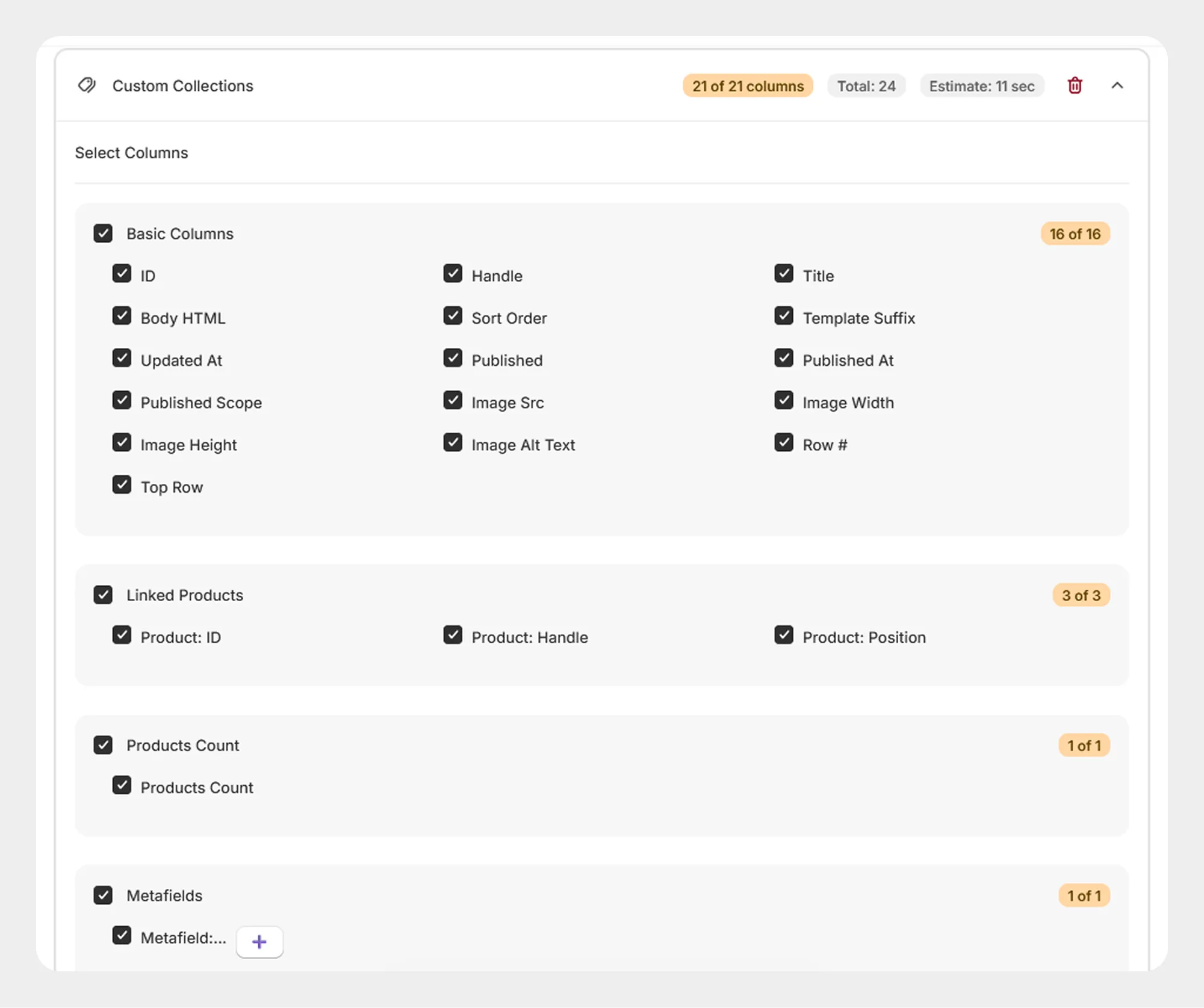
1. Basic Columns
The Basic Columns group contains the primary information used to identify, describe, configure, and publish a Custom Collection.
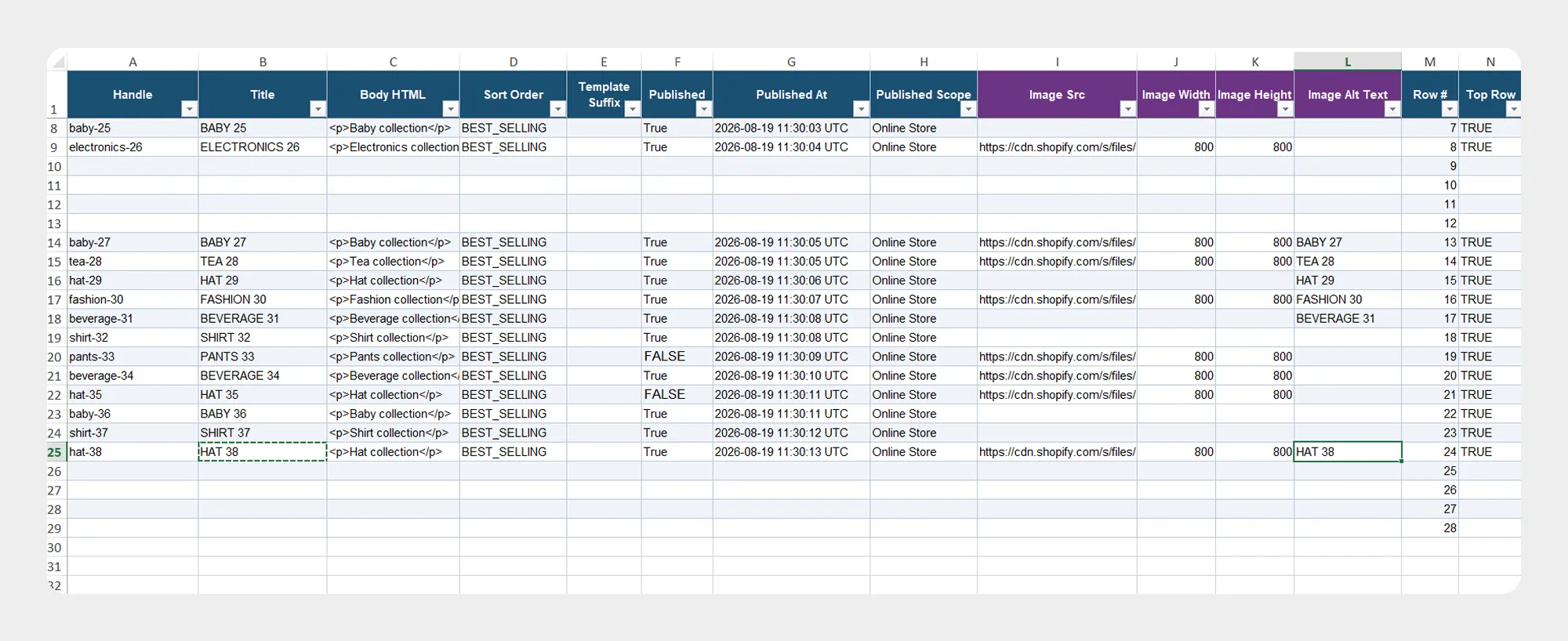
| Column | Description | Allowed Values / Example |
|---|---|---|
| ID | Unique Shopify identifier for the Custom Collection. | Number / Shopify Collection ID |
| Handle | Unique, URL-friendly identifier for the Custom Collection. | Text — summer-collection |
| Title | Name of the Custom Collection displayed in Shopify. | Text — Summer Collection |
| Body HTML | Description of the Custom Collection in HTML format. | HTML / Text |
| Sort Order | Defines the default order in which products are displayed in the collection. | manual, best-selling, alpha-asc, alpha-desc, price-asc, price-desc, created, created-desc |
| Template Suffix | Identifies the custom Liquid template used to display the collection. | Text — custom / Blank |
| Updated At | Date and time when the Custom Collection was last updated. | ISO 8601 date/time |
| Published | Indicates whether the Custom Collection is published. | true / false |
| Published At | Date and time when the Custom Collection was published. | ISO 8601 date/time / Blank |
| Published Scope | Defines the publication scope of the collection where supported. | web, global |
| Image Src | Source URL of the Custom Collection image. | URL — https://example.com/collection.jpg |
| Image Width | Width of the collection image in pixels. | Number — 800 |
| Image Height | Height of the collection image in pixels. | Number — 600 |
| Image Alt Text | Alternative text describing the collection image. | Text — Summer Collection |
| Row # | Identifies the row number in the import/export structure. | Number — 1 |
| Top Row | Identifies the top-level row associated with the collection record. | Boolean / Template control value |
Shopify's current Collection object includes fields such as id, handle, title, sortOrder, templateSuffix, updatedAt, image, publication information, products, product count, and metafields.
Shopify currently supports collection sort orders including alphabetical ascending/descending, best-selling, created date ascending/descending, manual, most relevant, and price ascending/descending.
2. Linked Products
The Linked Products group contains information about products that are manually associated with the Custom Collection.
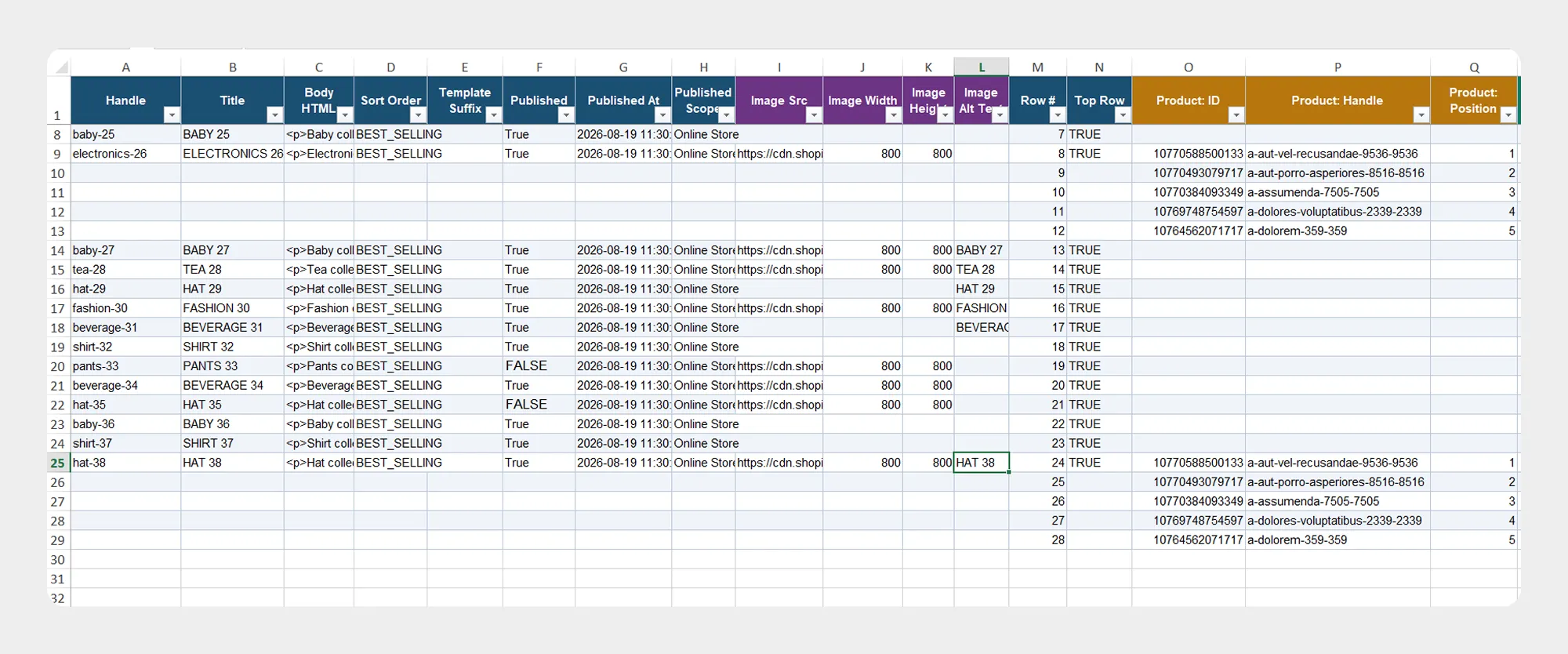
| Column | Description | Allowed Values / Example |
|---|---|---|
| Product: ID | Unique Shopify identifier of the product associated with the Custom Collection. | Number / Shopify Product ID |
| Product: Handle | URL-friendly identifier of the associated product. | Text — mens-t-shirt |
| Product: Position | Position of the product within the Custom Collection. | Number — 1 |
Shopify's Collection resource exposes the products included in a collection and their product relationship.
3. Products Count
The Products Count group contains the number of products associated with the Custom Collection.
| Column | Description | Allowed Values / Example |
|---|---|---|
| Products Count | Number of products associated with the Custom Collection. | Number — 25 |
Shopify exposes the number of products in a collection through the Collection productsCount field.
4. Metafields
The Metafields group contains supported metafield information associated with the Custom Collection.
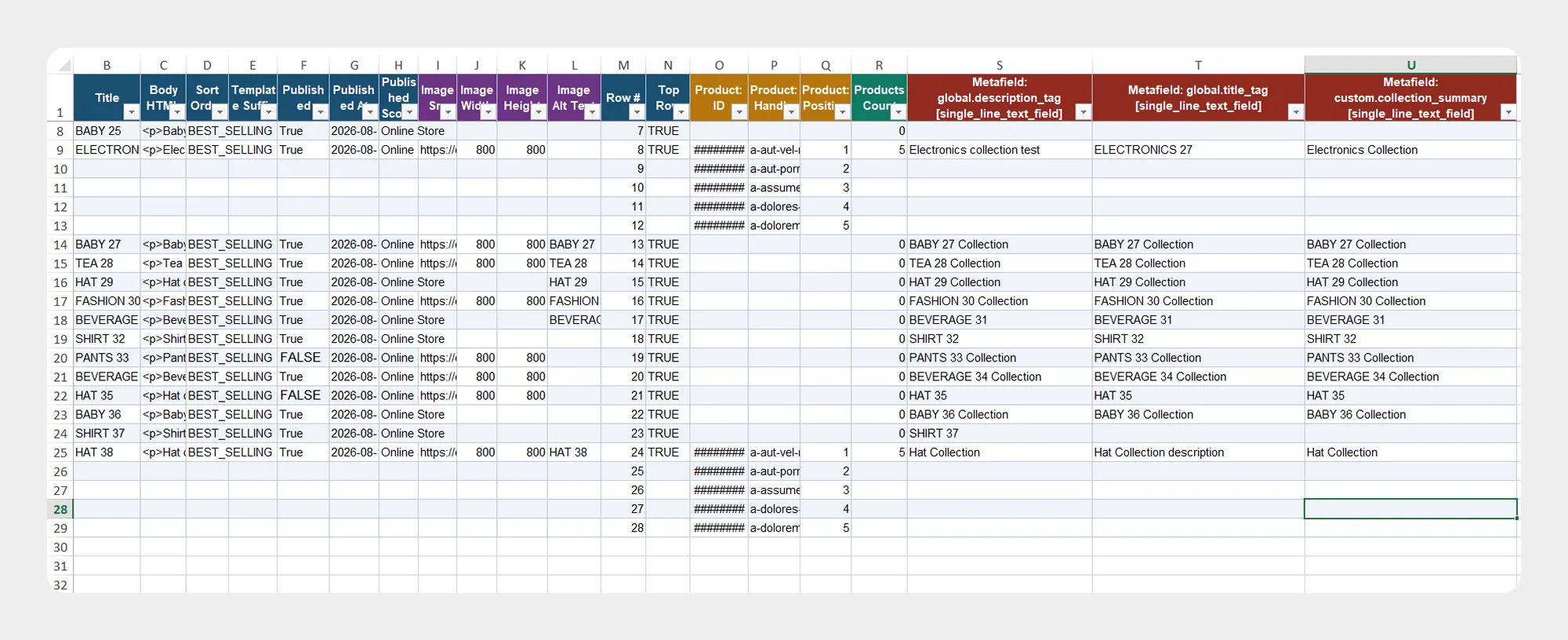
| Column | Description | Allowed Values / Example |
|---|---|---|
| Metafield:... | Represents a supported Custom Collection metafield configured in the Shopify store. The exact namespace, key, type, and value depend on the store's metafield configuration. | Example — custom.collection_type = seasonal |
Shopify supports metafields on collections for storing additional custom information beyond the standard collection fields.
The metafield structure should match the metafield definitions configured for the collection resource in your Shopify store.
Preparing a Custom Collection Import File
When preparing a Custom Collection import file:
- Download the Custom Collection Demo CSV/XLSX file, if available.
- Review the Custom Collection Template Documentation.
- Keep the required column names unchanged.
- Enter the Custom Collection data according to the expected format.
- Verify product IDs, handles, and positions when adding products to a collection.
- Save the file as CSV or XLSX.
- Upload the file to Migrato or provide its publicly accessible URL.
- Review the import operation before starting the job.
For the safest workflow, use a Migrato-generated Custom Collection export as a starting point when preparing data for a subsequent import.
 Free plan forever