 Our first app, Migrato, is live on the Shopify App Store

Template Documentation
Order Template Documentation
Migrato uses a structured template for importing and exporting Shopify order data.
The template defines the columns that can be used to transfer order information between Migrato and Shopify.
You can use the template to:
-
 Prepare order data for import.
-
Understand exported order data.
-
Modify exported orders before re-importing.
-
Migrate order information.
-
Maintain a consistent order data structure.
Before preparing your file: Download the available Order Demo CSV/XLSX file or export a sample order file from Migrato to understand the current template structure.
Order Template Structure
An order import/export file can contain different groups of order-related fields.
The exact groups and columns depend on the current Migrato Order Template.
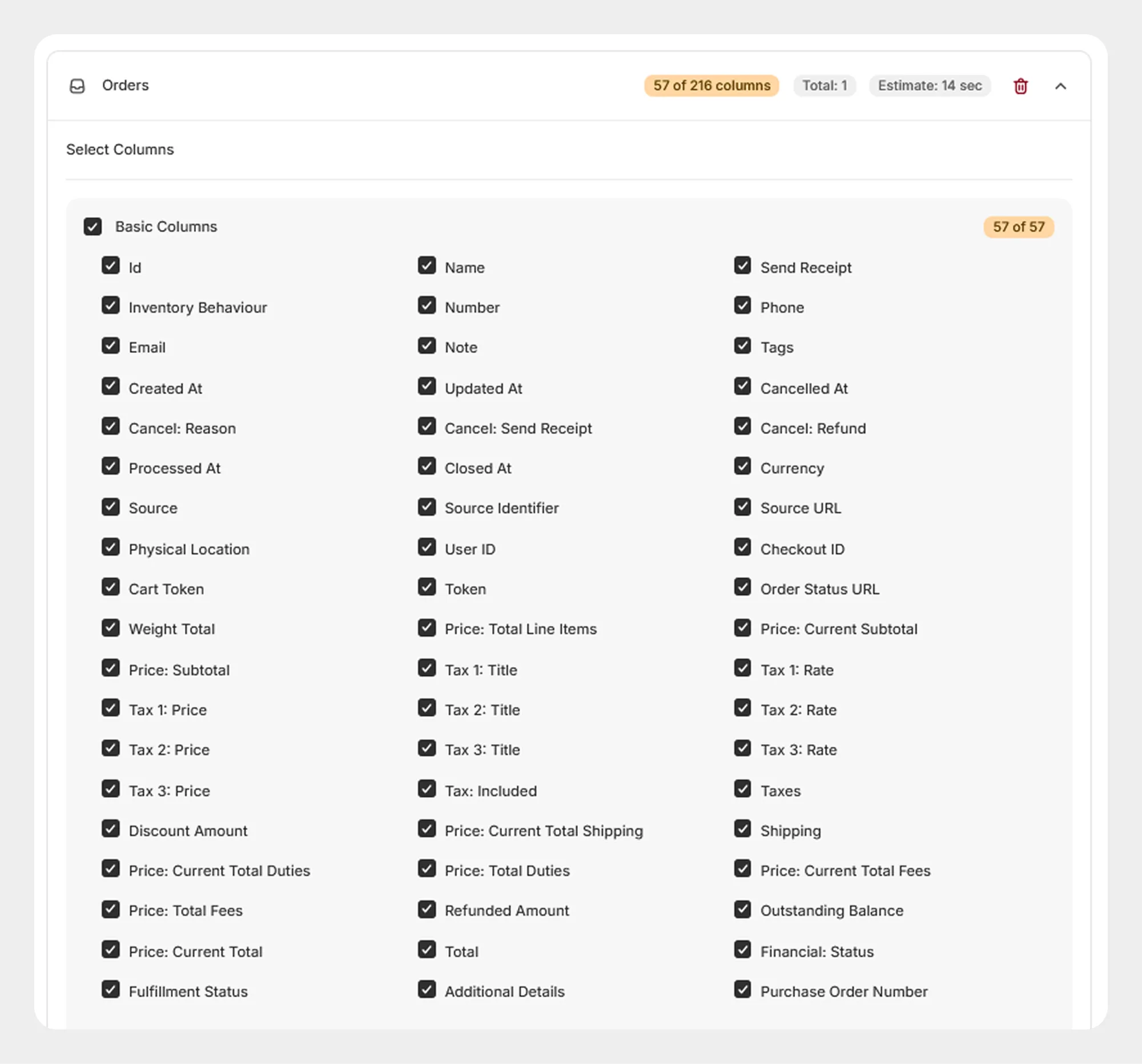
1. Basic Columns
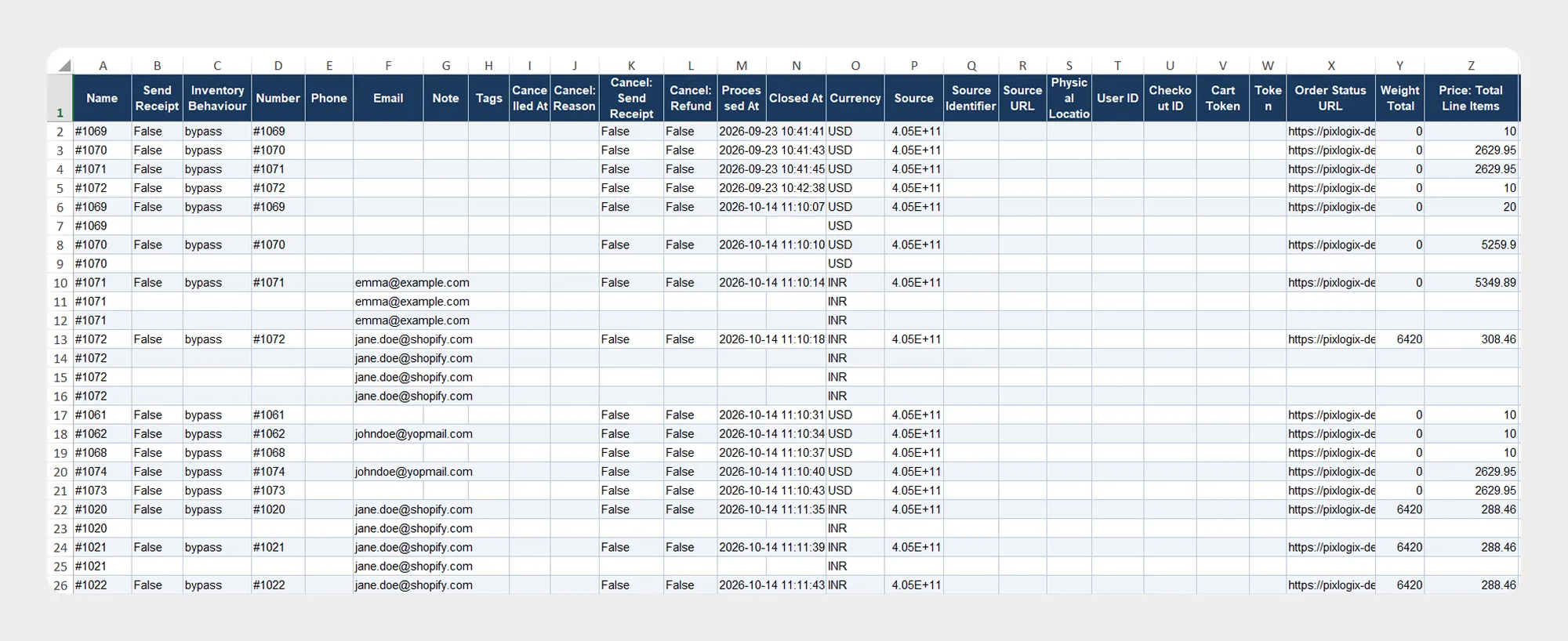
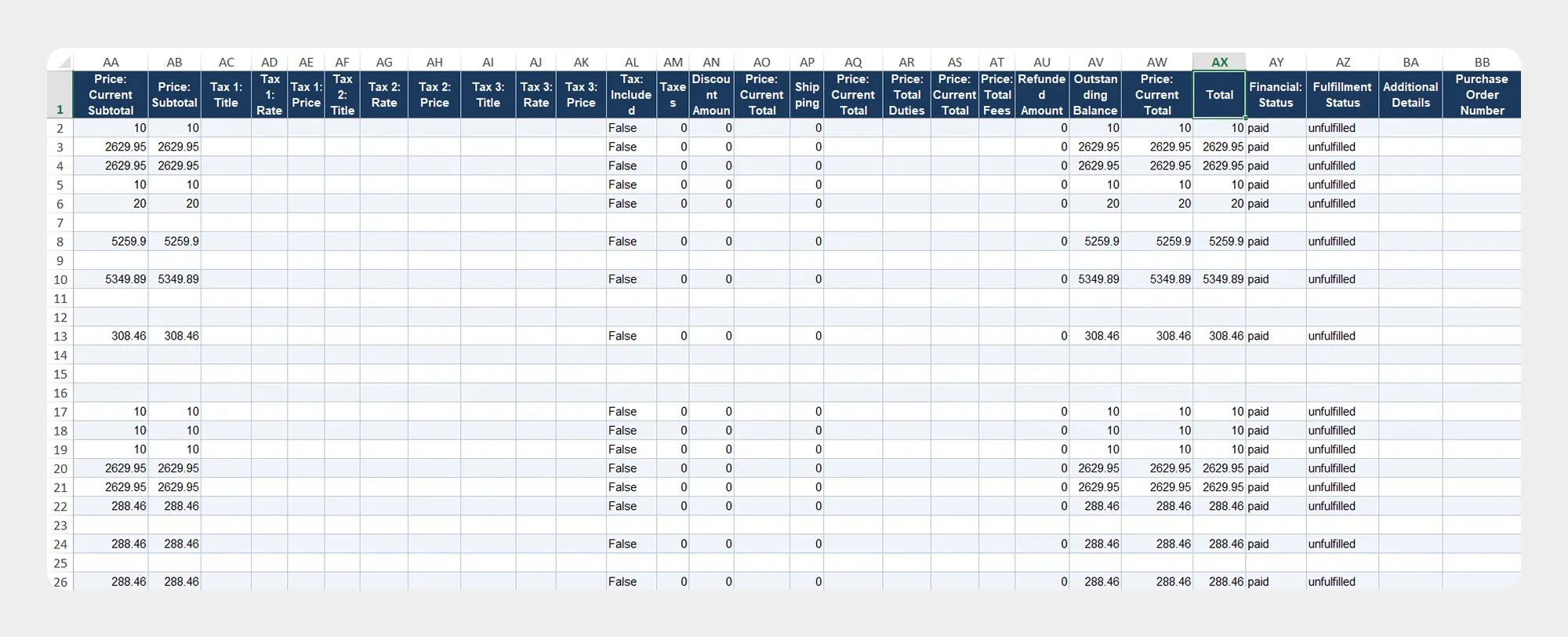
The Basic Columns group contains general order information, including order identifiers, dates, order status, pricing, taxes, shipping, discounts, cancellation details, and other order-level information.
57 columns
The documentation for each field group should be presented below.
| Column | Description | Allowed Values / Examples |
|---|---|---|
| Id | Unique Shopify identifier for the order. | Shopify Order ID |
| Name | Display name or order name. | #1001 |
| Send Receipt | Indicates whether an order receipt should be sent. | true / false |
| Inventory Behaviour | Defines how inventory is handled for the order. | Shopify-supported inventory behavior |
| Number | Numeric order number. | 1001 |
| Phone | Phone number associated with the order. | +1 555 123 4567 |
| Email address associated with the order. | customer@example.com |
|
| Note | Note associated with the order. | Text |
| Tags | Tags assigned to the order. | priority, wholesale |
| Created At | Date and time when the order was created. | Date/time |
| Updated At | Date and time when the order was last updated. | Date/time |
| Cancelled At | Date and time when the order was cancelled. | Date/time |
| Cancel: Reason | Reason associated with the order cancellation. | Cancellation reason |
| Cancel: Send Receipt | Indicates whether a cancellation receipt should be sent. | true / false |
| Cancel: Refund | Indicates whether the cancellation includes a refund. | true / false |
| Processed At | Date and time when the order was processed. | Date/time |
| Closed At | Date and time when the order was closed. | Date/time |
| Currency | Currency used for the order. | USD, EUR, GBP |
| Source | Source from which the order originated. | Shopify-supported source |
| Source Identifier | Identifier associated with the order source. | Text / identifier |
| Source URI | URI associated with the order source. | URL / URI |
| Physical Location | Physical location associated with the order. | Location |
| User ID | Shopify user ID associated with the order. | Shopify User ID |
| Checkout ID | Identifier of the checkout associated with the order. | Checkout ID |
| Cart Token | Token associated with the shopping cart. | Text |
| Token | Token associated with the order. | Text |
| Order Status URL | URL used to access the order status. | URL |
| Weight Total | Total weight of items in the order. | Numeric value |
| Price: Total Line Items | Total price of all line items. | Numeric amount |
| Price: Current Subtotal | Current subtotal of the order. | Numeric amount |
| Price: Subtotal | Subtotal of the order. | Numeric amount |
| Tax 1: Title | Title of the first tax applied to the order. | Tax name |
| Tax 1: Rate | Rate of the first tax. | Percentage / decimal |
| Tax 1: Price | Amount of the first tax. | Numeric amount |
| Tax 2: Title | Title of the second tax applied to the order. | Tax name |
| Tax 2: Rate | Rate of the second tax. | Percentage / decimal |
| Tax 2: Price | Amount of the second tax. | Numeric amount |
| Tax 3: Title | Title of the third tax applied to the order. | Tax name |
| Tax 3: Rate | Rate of the third tax. | Percentage / decimal |
| Tax 3: Price | Amount of the third tax. | Numeric amount |
| Tax: Included | Indicates whether tax is included in the order prices. | true / false |
| Taxes | Total tax amount for the order. | Numeric amount |
| Discount Amount | Total discount amount applied to the order. | Numeric amount |
| Price: Current Total Shipping | Current total shipping amount. | Numeric amount |
| Shipping | Shipping amount associated with the order. | Numeric amount |
| Price: Current Total Duties | Current total duties amount. | Numeric amount |
| Price: Total Duties | Total duties associated with the order. | Numeric amount |
| Price: Current Total Fees | Current total fees associated with the order. | Numeric amount |
| Price: Total Fees | Total fees associated with the order. | Numeric amount |
| Refunded Amount | Total amount refunded for the order. | Numeric amount |
| Outstanding Balance | Remaining outstanding amount for the order. | Numeric amount |
| Price: Current Total | Current total amount of the order. | Numeric amount |
| Total | Total order amount. | Numeric amount |
| Financial: Status | Financial status of the order. | Shopify-supported status |
| Fulfillment Status | Fulfillment status of the order. | Shopify-supported status |
| Additional Details | Additional order information. | Text |
| Purchase Order Number | Purchase order number associated with the order. | PO number / text |
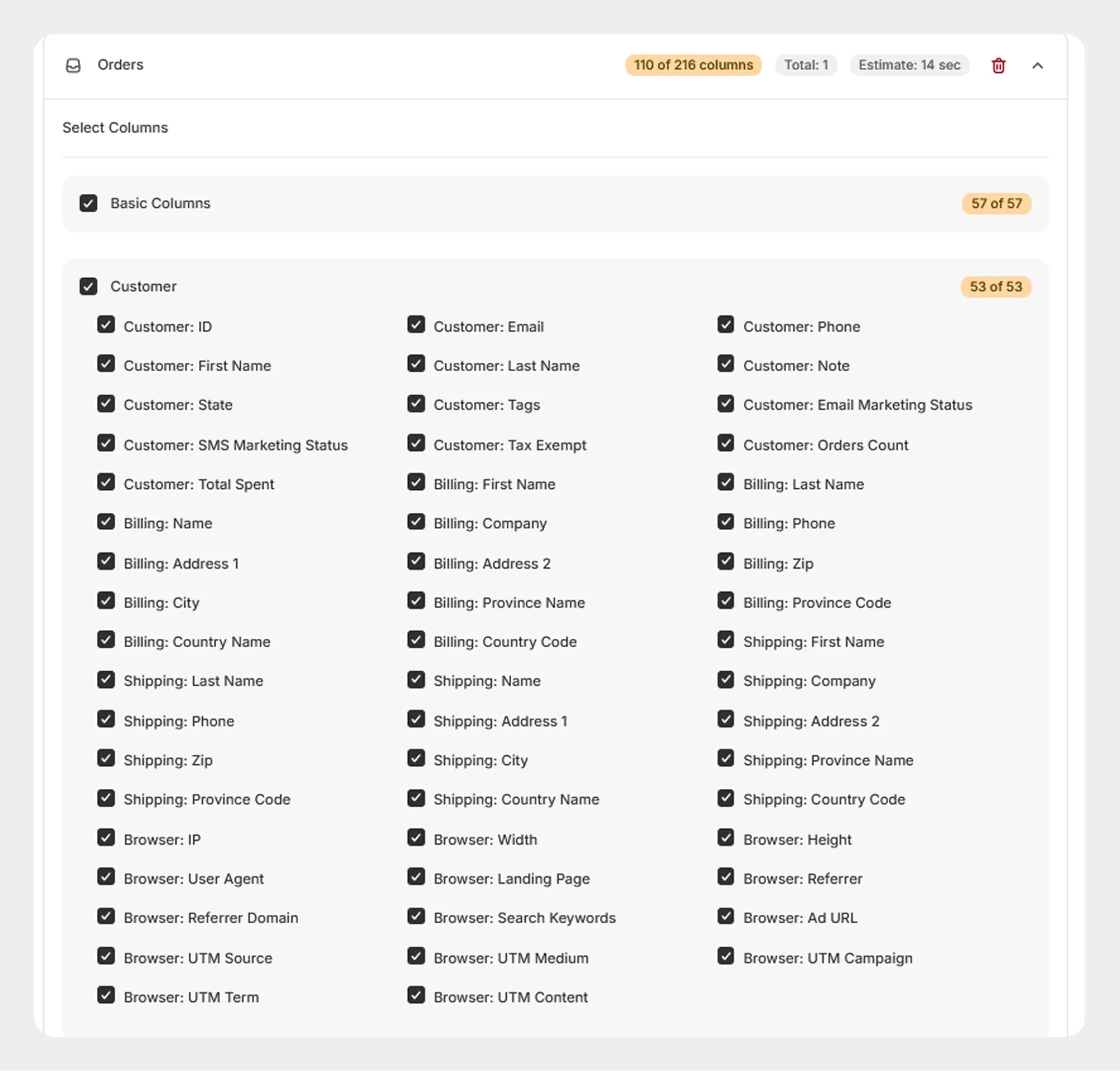
2. Customer
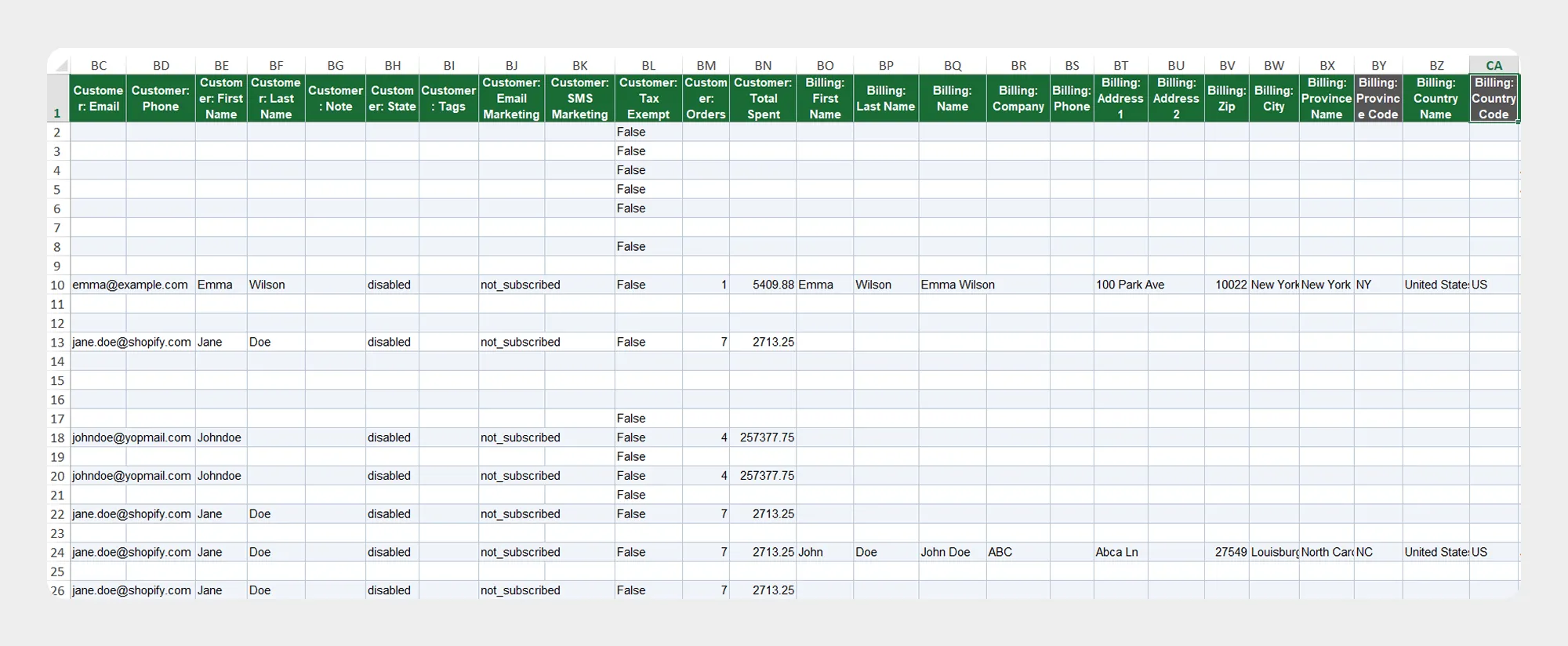
The Customer group contains customer information, billing information, shipping information, and browser and marketing information associated with the order.
53 columns
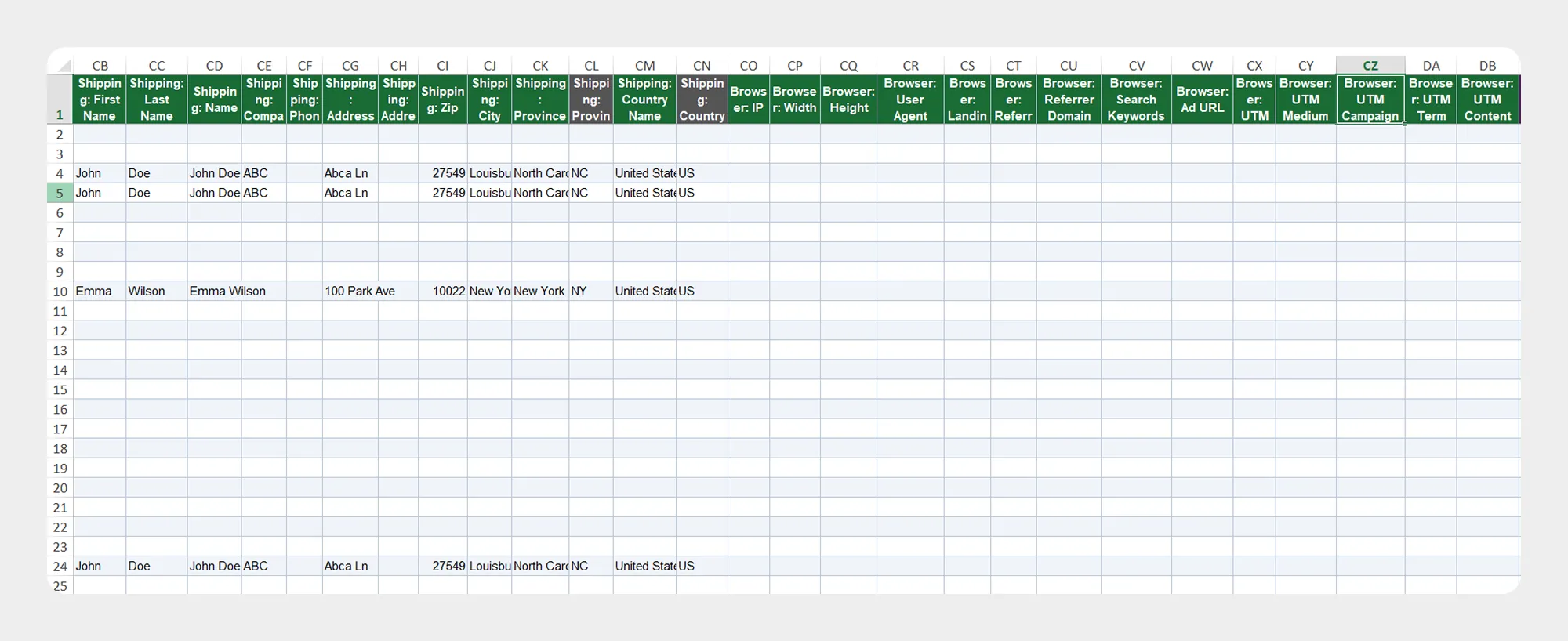
| Column | Description | Allowed Values / Examples |
|---|---|---|
| Customer: ID | Unique identifier of the customer. | Shopify Customer ID |
| Customer: Email | Customer email address. | customer@example.com |
| Customer: Phone | Customer phone number. | Phone number |
| Customer: First Name | Customer first name. | John |
| Customer: Last Name | Customer last name. | Smith |
| Customer: Note | Note associated with the customer. | Text |
| Customer: State | State of the customer account. | Shopify-supported customer state |
| Customer: Tags | Tags assigned to the customer. | VIP, wholesale |
| Customer: Email Marketing Status | Customer email marketing subscription status. | Shopify-supported status |
| Customer: SMS Marketing Status | Customer SMS marketing subscription status. | Shopify-supported status |
| Customer: Tax Exempt | Indicates whether the customer is tax exempt. | true / false |
| Customer: Orders Count | Number of orders associated with the customer. | Numeric value |
| Customer: Total Spent | Total amount spent by the customer. | Numeric amount |
| Billing: First Name | First name on the billing address. | John |
| Billing: Last Name | Last name on the billing address. | Smith |
| Billing: Name | Full name on the billing address. | John Smith |
| Billing: Company | Company listed on the billing address. | Company name |
| Billing: Phone | Phone number on the billing address. | Phone number |
| Billing: Address 1 | Primary billing address. | Address text |
| Billing: Address 2 | Additional billing address information. | Address text |
| Billing: Zip | Billing postal or ZIP code. | 380001 |
| Billing: City | Billing city. | Ahmedabad |
| Billing: Province Name | Billing province or state name. | Gujarat |
| Billing: Province | Billing province or state value. | GJ |
| Billing: Country Name | Billing country name. | India |
| Billing: Country | Billing country value/code. | IN |
| Shipping: First Name | First name on the shipping address. | John |
| Shipping: Last Name | Last name on the shipping address. | Smith |
| Shipping: Name | Full name on the shipping address. | John Smith |
| Shipping: Company | Company listed on the shipping address. | Company name |
| Shipping: Phone | Phone number on the shipping address. | Phone number |
| Shipping: Address 1 | Primary shipping address. | Address text |
| Shipping: Address 2 | Additional shipping address information. | Address text |
| Shipping: Zip | Shipping postal or ZIP code. | 380001 |
| Shipping: City | Shipping city. | Ahmedabad |
| Shipping: Province Name | Shipping province or state name. | Gujarat |
| Shipping: Province | Shipping province or state value. | GJ |
| Shipping: Country Name | Shipping country name. | India |
| Shipping: Country | Shipping country value/code. | IN |
| Browser: IP | IP address associated with the order. | IP address |
| Browser: Width | Browser viewport width. | Numeric value |
| Browser: Height | Browser viewport height. | Numeric value |
| Browser: User Agent | Browser user-agent information. | Text |
| Browser: Landing Page | Landing page associated with the customer's visit. | URL |
| Browser: Referrer | Referrer URL. | URL |
| Browser: Referrer Domain | Domain of the referring website. | google.com |
| Browser: Search Keywords | Search keywords associated with the visit. | Text |
| Browser: Ad URL | Advertising URL associated with the visit. | URL |
| Browser: UTM Source | UTM source associated with the visit. | google |
| Browser: UTM Medium | UTM medium associated with the visit. | cpc |
| Browser: UTM Campaign | UTM campaign associated with the visit. | summer-sale |
| Browser: UTM Term | UTM term associated with the visit. | Text |
| Browser: UTM Content | UTM content associated with the visit. | Text |
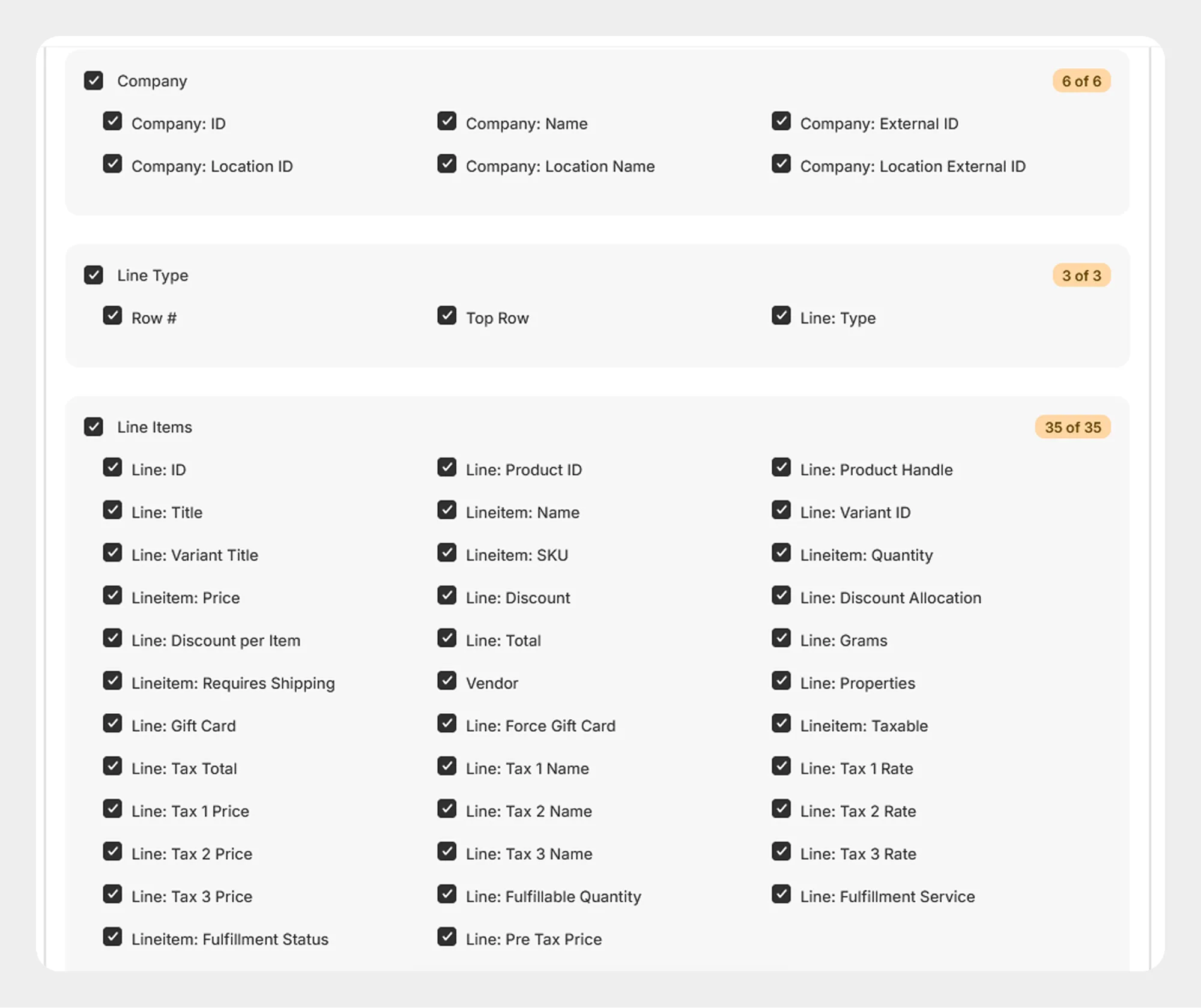
3. Company
The Company group contains Shopify B2B company and company-location information associated with the order.
6 columns
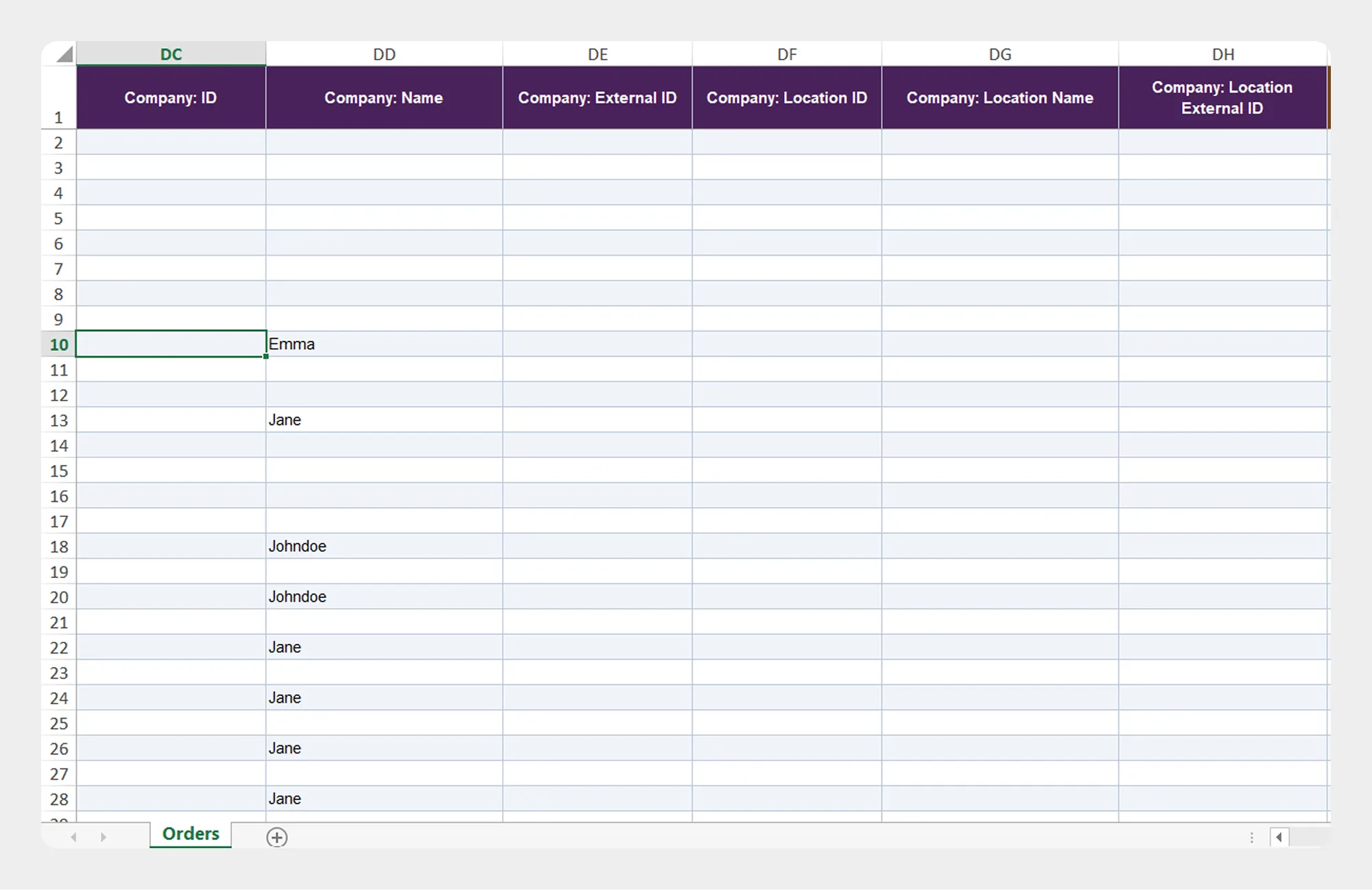
| Column | Description | Allowed Values / Examples |
|---|---|---|
| Company: ID | Unique identifier of the company. | Shopify Company ID |
| Company: Name | Name of the company. | ABC Company |
| Company: External ID | External identifier of the company. | Text / identifier |
| Company: Location ID | Unique identifier of the company location. | Shopify Location ID |
| Company: Location Name | Name of the company location. | New York Office |
| Company: Location External ID | External identifier of the company location. | Text / identifier |
4. Line Type
The Line Type group identifies the structure and type of each row in the order data.
3 columns
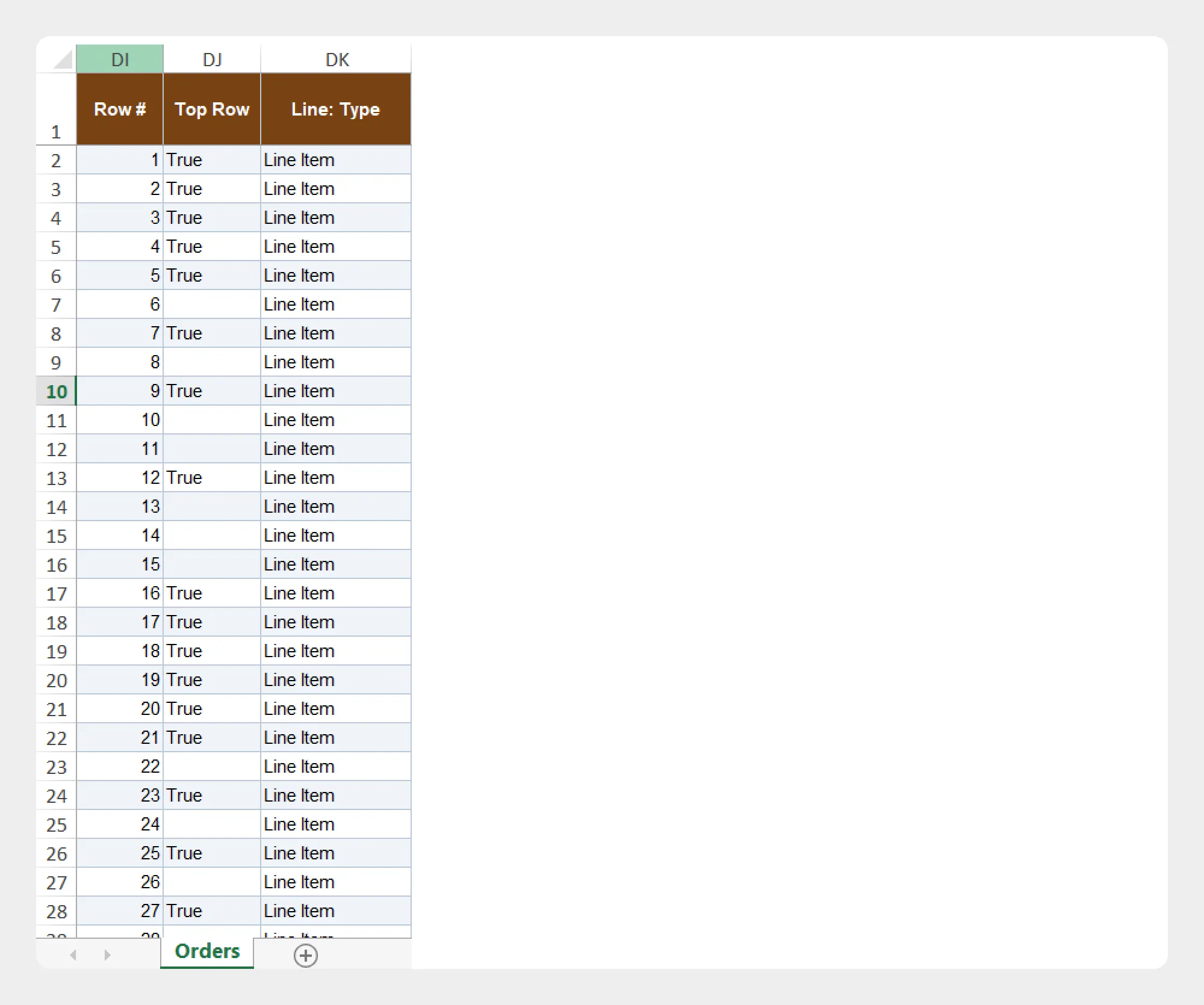
| Column | Description | Allowed Values / Examples |
|---|---|---|
| Row # | Row number associated with the order data. | Numeric value |
| Top Row | Indicates the top-level row associated with the order data. | Supported value |
| Line: Type | Identifies the type of line represented by the row. | Supported line type |
5. Line Items
The Line Items group contains information about the products and variants included in an order.
35 columns
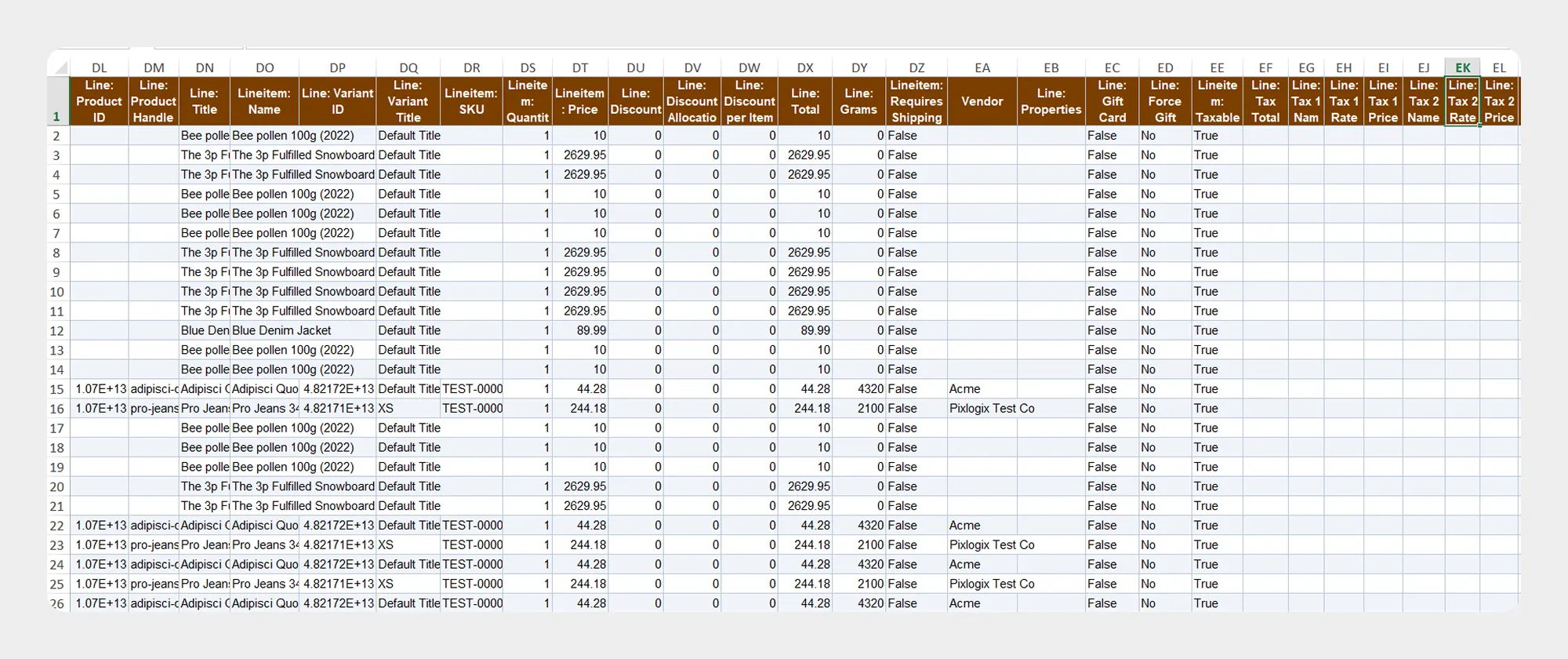
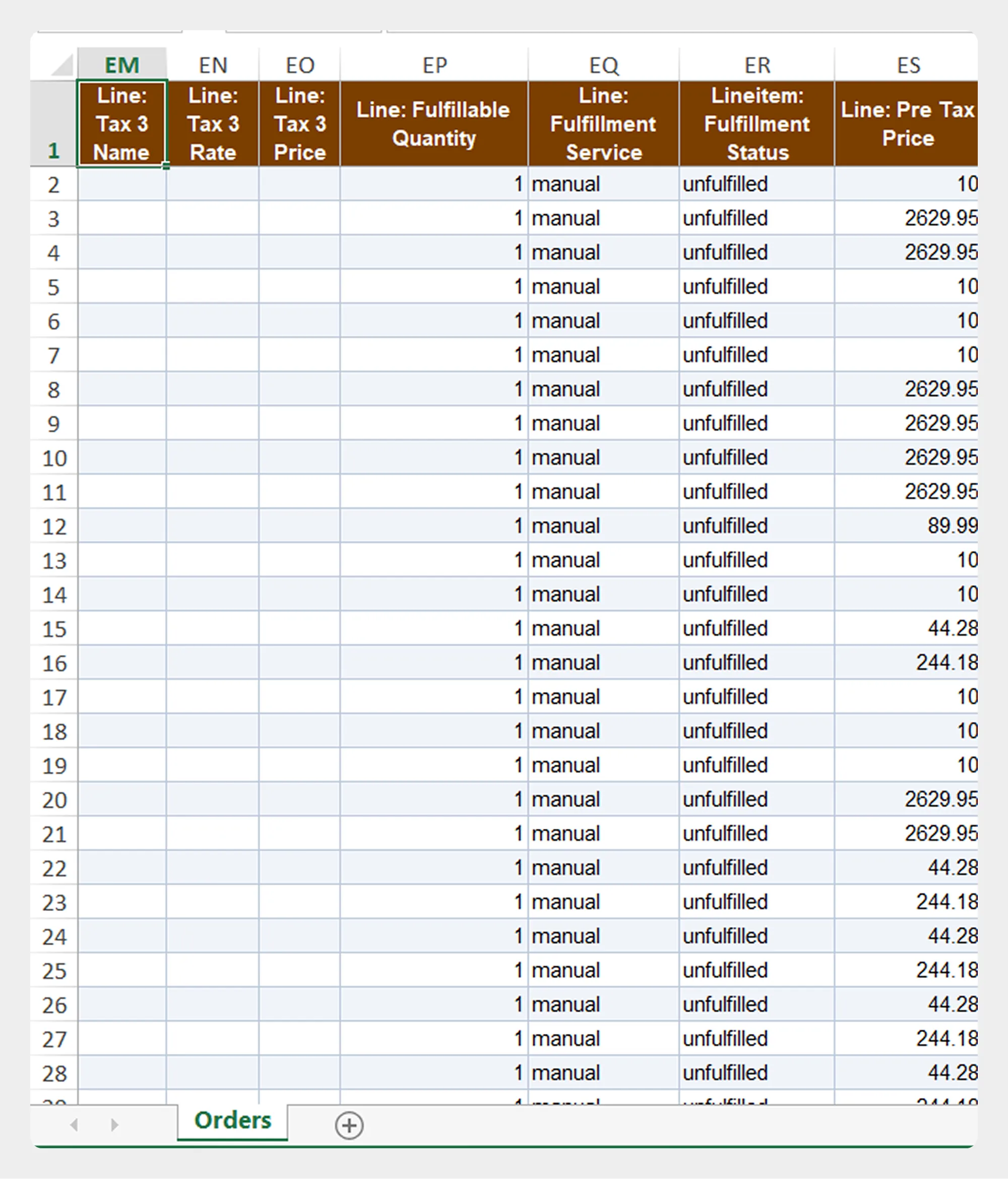
| Column | Description | Allowed Values / Examples |
|---|---|---|
| Line: ID | Unique identifier of the order line item. | Shopify Line Item ID |
| Line: Product ID | Shopify product ID associated with the line item. | Shopify Product ID |
| Line: Product Handle | Product handle associated with the line item. | mens-t-shirt |
| Line: Title | Product title associated with the line item. | Men's T-Shirt |
| Lineitem: Name | Name of the line item. | Product/variant name |
| Line: Variant ID | Shopify variant ID associated with the line item. | Shopify Variant ID |
| Line: Variant Title | Variant title. | Large / Blue |
| Lineitem: SKU | SKU of the purchased variant. | TSHIRT-BLU-L |
| Lineitem: Quantity | Quantity purchased. | Numeric value |
| Lineitem: Price | Price of the line item. | Numeric amount |
| Line: Discount | Discount applied to the line item. | Numeric amount |
| Line: Discount Allocation | Discount amount allocated to the line item. | Numeric amount |
| Line: Discount per Item | Discount amount applied to each item. | Numeric amount |
| Line: Total | Total value of the line item. | Numeric amount |
| Line: Grams | Weight of the line item in grams. | Numeric value |
| Line: Properties | Additional properties associated with the line item. | Text / key-value data |
| Lineitem: Requires Shipping | Indicates whether the line item requires shipping. | true / false |
| Vendor | Vendor associated with the line item. | Vendor name |
| Line: Gift Card | Indicates whether the line item is a gift card. | true / false |
| Line: Force Gift Card | Indicates whether the line item is forced to be treated as a gift card. | true / false |
| Lineitem: Taxable | Indicates whether the line item is taxable. | true / false |
| Line: Tax Total | Total tax amount for the line item. | Numeric amount |
| Line: Tax 1 Name | Name of the first tax applied to the line item. | Tax name |
| Line: Tax 1 Rate | Rate of the first tax. | Percentage / decimal |
| Line: Tax 1 Price | Amount of the first tax. | Numeric amount |
| Line: Tax 2 Name | Name of the second tax applied to the line item. | Tax name |
| Line: Tax 2 Rate | Rate of the second tax | Percentage / decimal |
| Line: Tax 2 Price | Amount of the second tax. | Numeric amount |
| Line: Tax 3 Name | Name of the third tax applied to the line item. | Tax name |
| Line: Tax 3 Rate | Rate of the third tax. | Percentage / decimal |
| Line: Tax 3 Price | Amount of the third tax. | Numeric amount |
| Line: Fulfillable Quantity | Quantity remaining to be fulfilled. | Numeric value |
| Line: Fulfillment Service | Fulfillment service assigned to the line item. | Service name |
| Lineitem: Fulfillment Status | Fulfillment status of the line item. | Shopify-supported status |
| Line: Pre Tax Price | Price of the line item before tax. | Numeric amount |
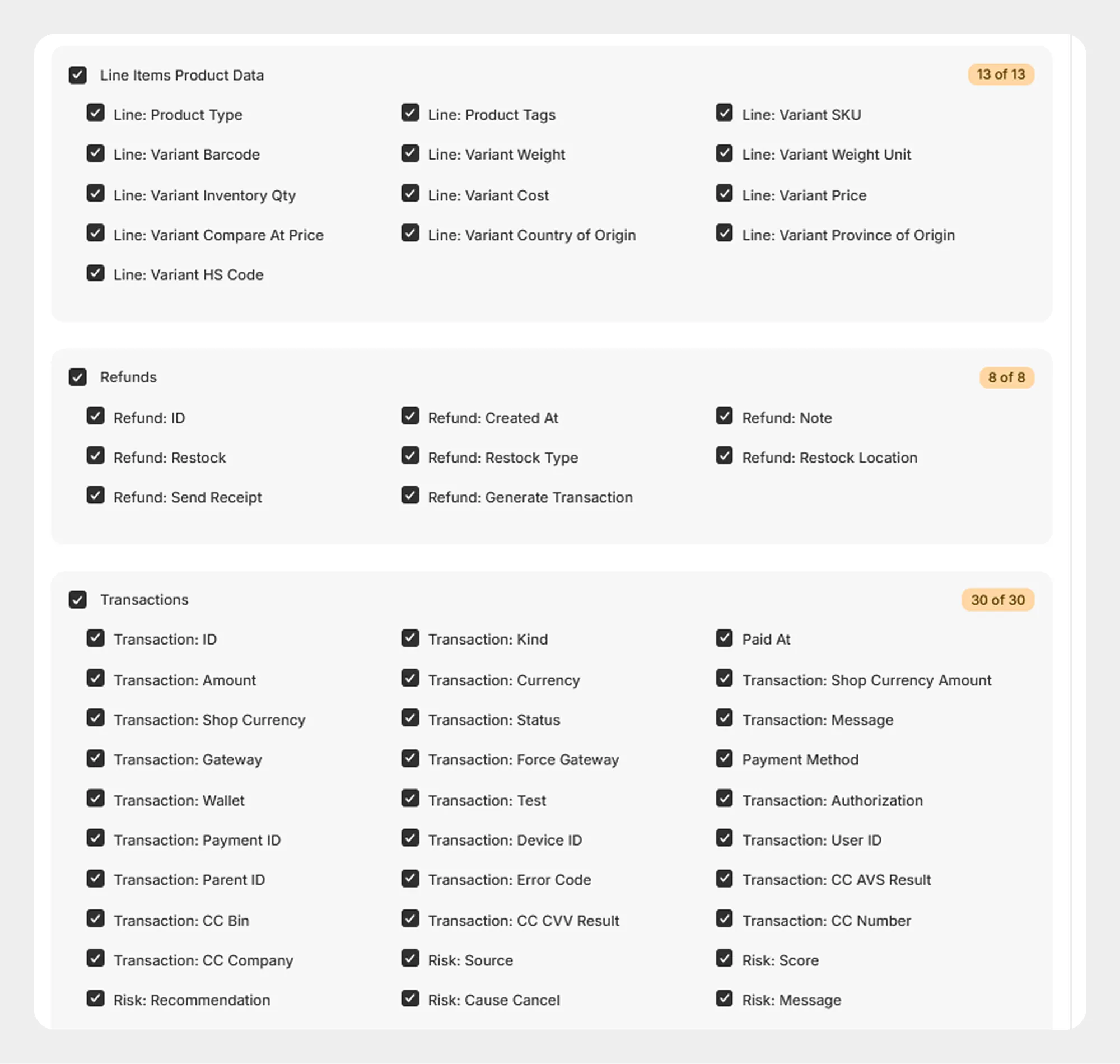
6. Line Items Product Data
The Line Items Product Data group contains additional product and variant information associated with order line items.
13 columns
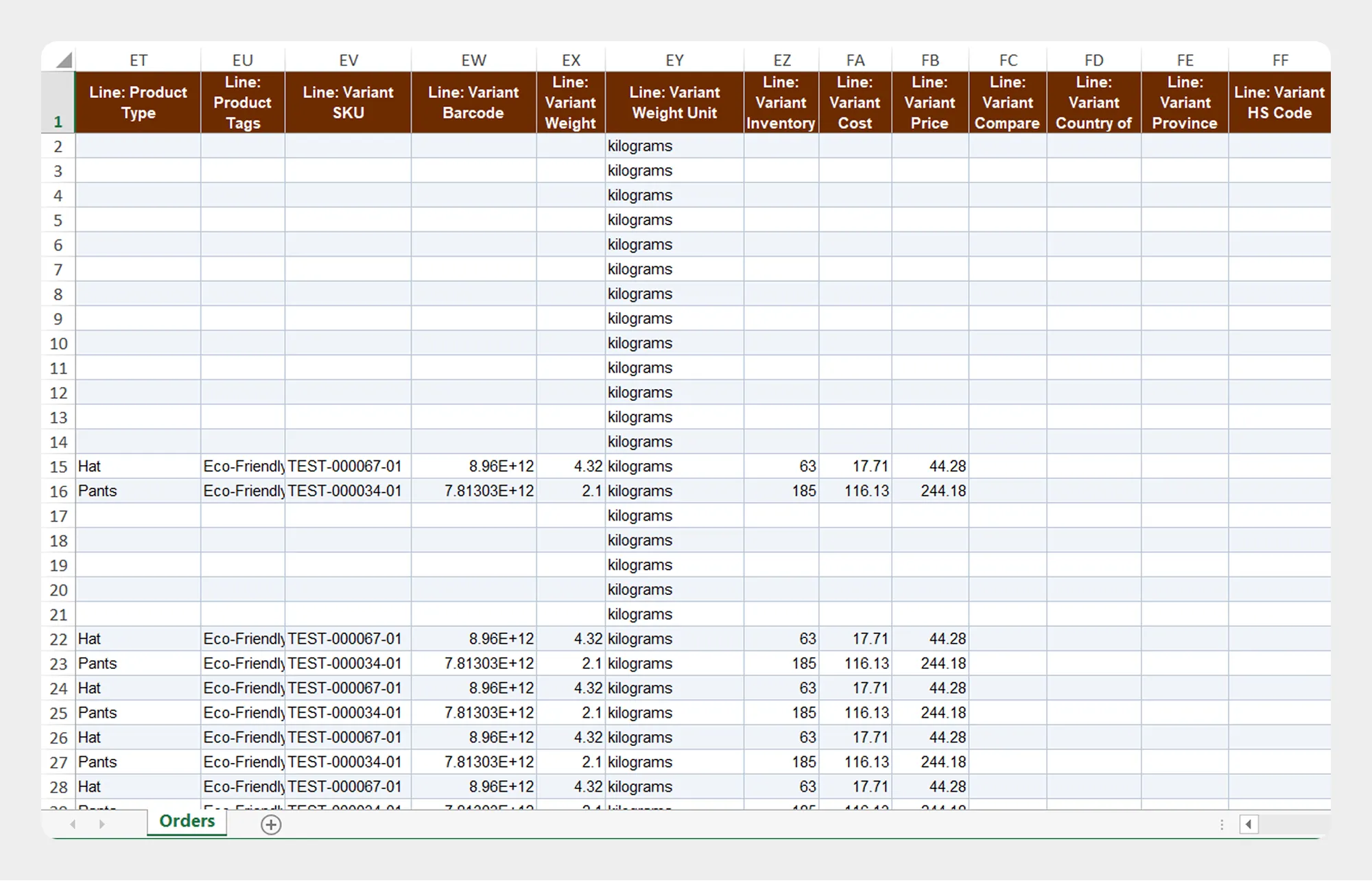
| Column | Description | Allowed Values / Examples |
|---|---|---|
| Line: Product Type | Product type associated with the line item. | T-Shirt |
| Line: Product Tags | Tags assigned to the product. | summer, clothing |
| Line: Variant SKU | SKU of the product variant. | TSHIRT-BLU-L |
| Line: Variant Barcode | Barcode associated with the product variant. | Barcode value |
| Line: Variant Inventory Qty | Inventory quantity associated with the variant. | Numeric value |
| Line: Variant Weight | Weight of the product variant. | Numeric value |
| Line: Variant Weight Unit | Unit used for the variant weight. | Shopify-supported weight unit |
| Line: Variant Cost | Cost associated with the product variant. | Numeric amount |
| Line: Variant Price | Price of the product variant. | Numeric amount |
| Line: Variant Compare At Price | Compare-at price of the product variant. | Numeric amount |
| Line: Variant Country of Origin | Country of origin associated with the product variant. | Country name/code |
| Line: Variant Province of Origin | Province or state of origin associated with the product variant. | Province/state |
| Line: Variant HS Code | Harmonized System code associated with the product variant. | HS code |
7. Refunds
The Refunds group contains refund and restocking information associated with the order.
8 columns
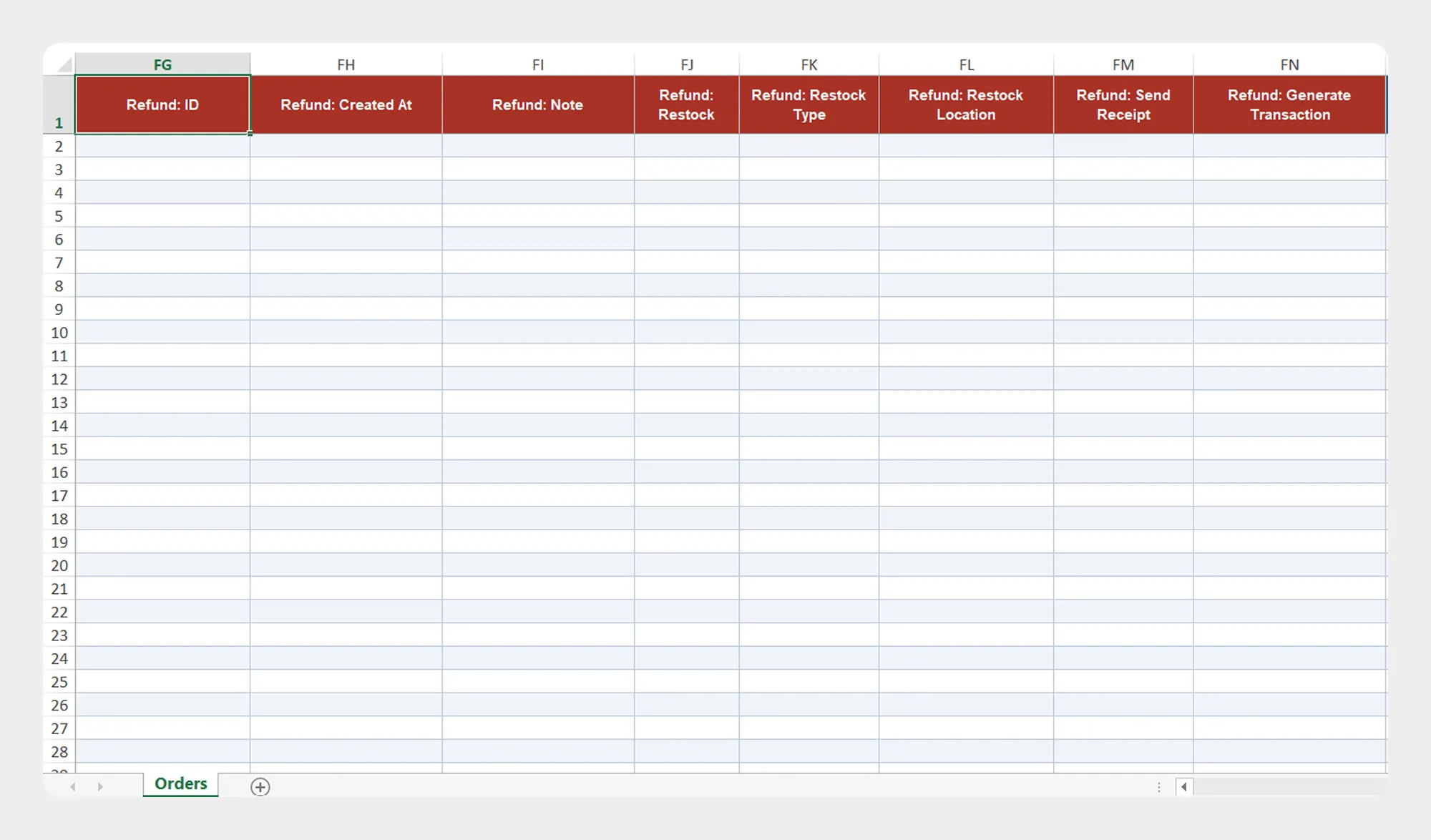
| Column | Description | Allowed Values / Examples |
|---|---|---|
| Refund: ID | Unique identifier of the refund. | Shopify Refund ID |
| Refund: Created At | Date and time when the refund was created. | Date/time |
| Refund: Note | Note associated with the refund. | Text |
| Refund: Restock | Indicates whether refunded items are restocked. | true / false |
| Refund: Restock Type | Type of restocking associated with the refund. | Shopify-supported restock type |
| Refund: Restock Location | Location where refunded inventory is restocked. | Location |
| Refund: Send Receipt | Indicates whether a refund receipt should be sent. | true / false |
| Refund: Generate Transaction | Indicates whether a refund transaction should be generated. | true / false |
8. Transactions
The Transactions group contains payment transaction and risk information associated with the order.
30 columns
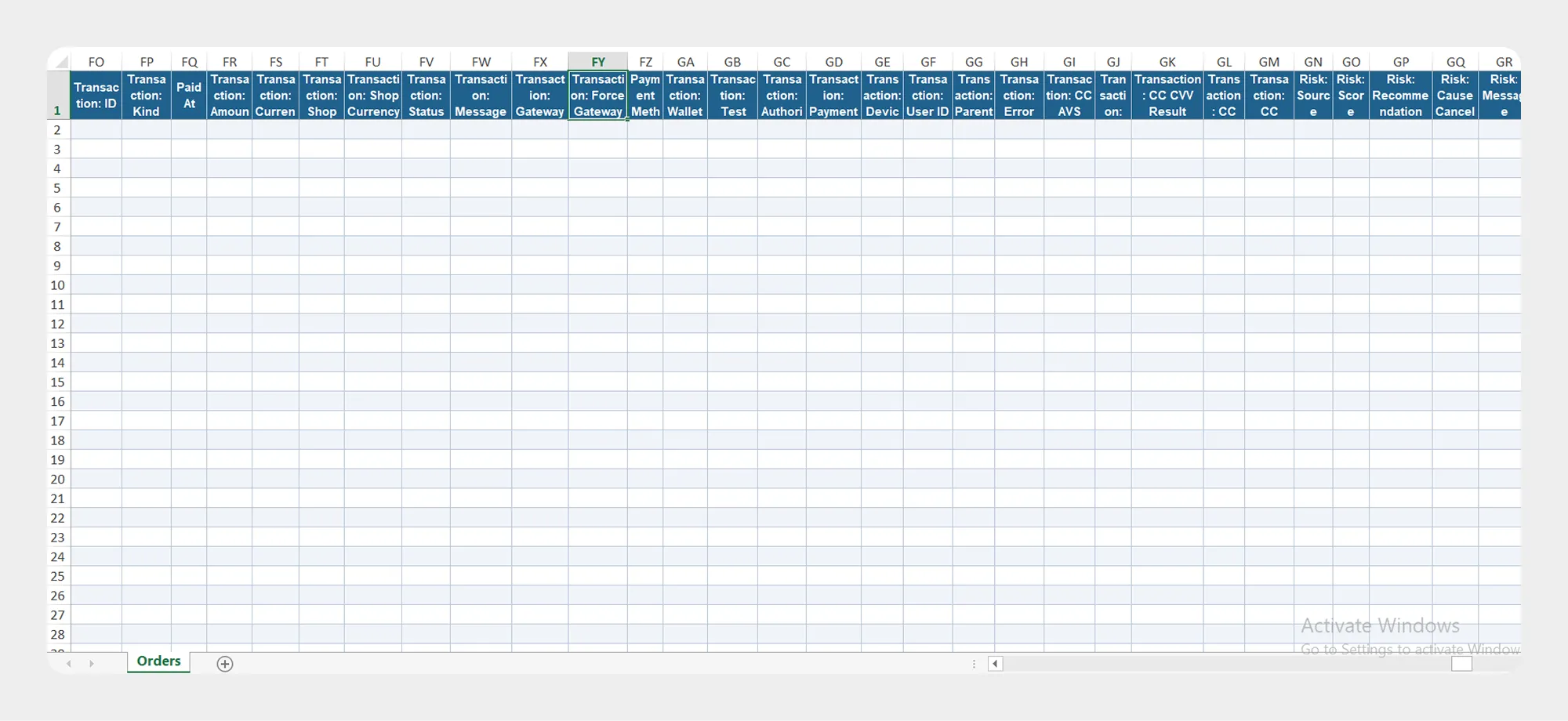
| Column | Description | Allowed Values / Examples |
|---|---|---|
| Transaction: ID | Unique identifier of the transaction. | Shopify Transaction ID |
| Transaction: Kind | Type of transaction. | Shopify-supported transaction type |
| Paid At | Date and time when the transaction was paid. | Date/time |
| Transaction: Amount | Amount associated with the transaction. | Numeric amount |
| Transaction: Currency | Currency used for the transaction. | USD, EUR |
| Transaction: Shop Currency Amount | Transaction amount in the shop currency. | Numeric amount |
| Transaction: Shop Currency | Currency of the Shopify store. | USD |
| Transaction: Status | Status of the transaction. | Shopify-supported transaction status |
| Transaction: Message | Message associated with the transaction. | Text |
| Transaction: Gateway | Payment gateway used for the transaction. | Payment gateway |
| Transaction: Force Gateway | Gateway explicitly specified for the transaction. | Text |
| Payment Method | Payment method associated with the transaction. | Payment method |
| Transaction: Wallet | Digital wallet associated with the transaction. | Wallet name |
| Transaction: Test | Indicates whether the transaction is a test transaction. | true / false |
| Transaction: Authorization | Authorization information associated with the transaction. | Text |
| Transaction: Payment ID | Payment identifier associated with the transaction. | Payment ID |
| Transaction: Device ID | Device identifier associated with the transaction. | Identifier |
| Transaction: User ID | User identifier associated with the transaction. | User ID |
| Transaction: Parent ID | Parent transaction identifier. | Transaction ID |
| Transaction: Error Code | Error code associated with the transaction. | Error code |
| Transaction: CC AVS Result | Address Verification System result. | Gateway-supported value |
| Transaction: CC Bin | Card BIN associated with the transaction. | Numeric value |
| Transaction: CC CVV Result | Card verification result. | Gateway-supported value |
| Transaction: CC Number | Card number information associated with the transaction. | Supported value |
| Transaction: CC Company | Card company information associated with the transaction. | Text |
| Risk: Source | Source of the transaction risk assessment. | Text |
| Risk: Score | Risk score associated with the transaction. | Numeric value |
| Risk: Recommendation | Recommendation from the risk assessment. | Shopify/payment-provider supported value |
| Risk: Cause Cancel | Indicates whether risk caused the order cancellation. | true / false |
| Risk: Message | Message associated with the risk assessment. | Text |
Note: Payment, card, and risk information may depend on the payment gateway and the information available from Shopify.
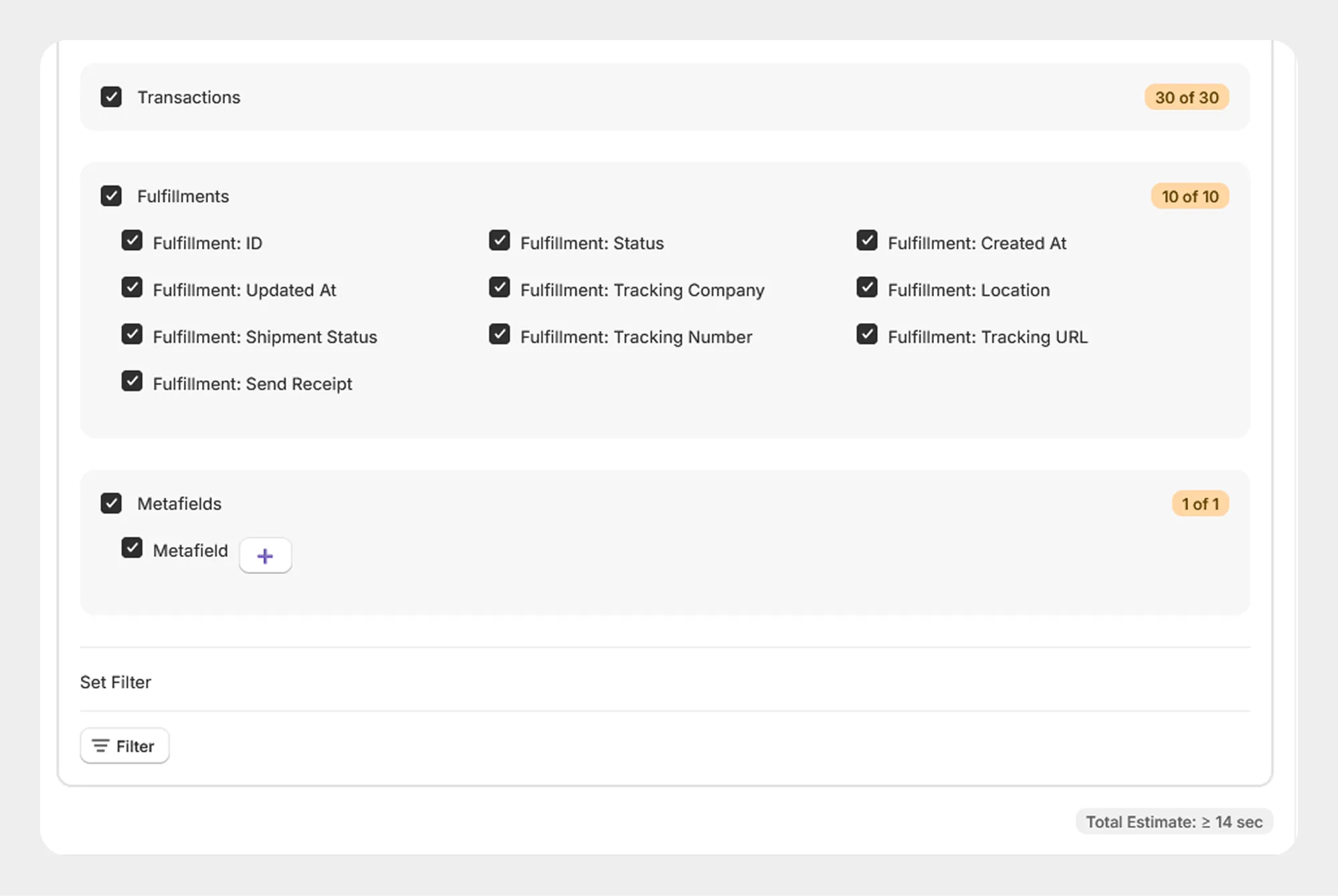
9. Fulfillments
The Fulfillments group contains fulfillment and shipment information associated with the order.
10 columns
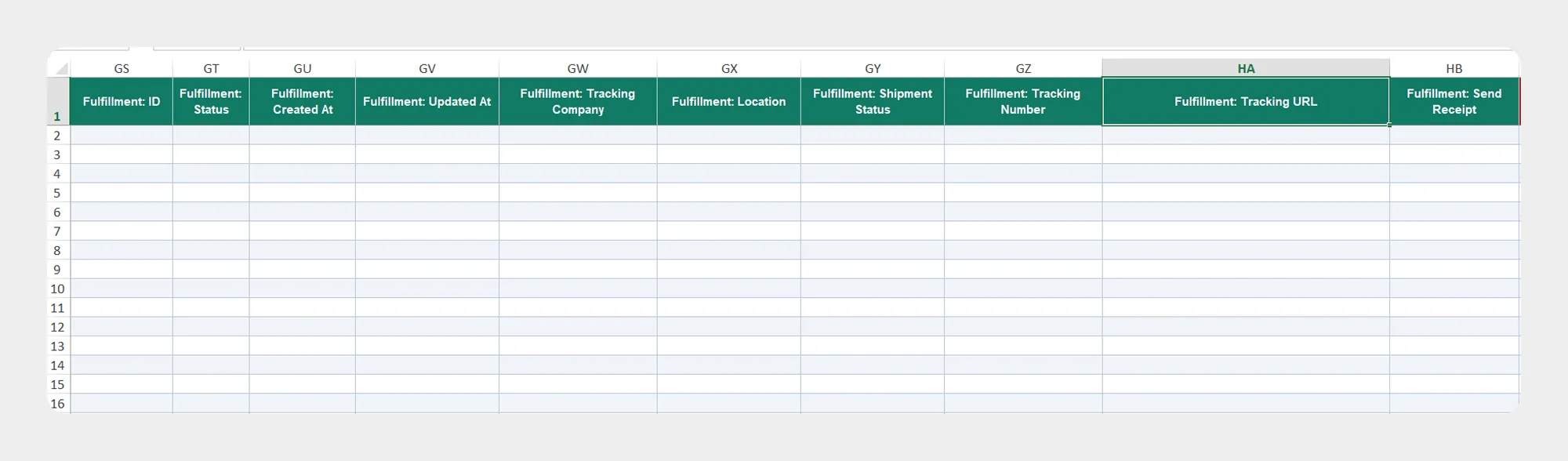
| Column | Description | Allowed Values / Examples |
|---|---|---|
| Fulfillment: ID | Unique identifier of the fulfillment. | Shopify Fulfillment ID |
| Fulfillment: Status | Current status of the fulfillment. | Shopify-supported fulfillment status |
| Fulfillment: Created At | Date and time when the fulfillment was created. | Date/time |
| Fulfillment: Updated At | Date and time when the fulfillment was last updated. | Date/time |
| Fulfillment: Tracking Company | Shipping or tracking company associated with the fulfillment. | FedEx, UPS |
| Fulfillment: Location | Location responsible for the fulfillment. | Location |
| Fulfillment: Shipment Status | Shipment status associated with the fulfillment. | Shopify-supported shipment status |
| Fulfillment: Tracking Number | Tracking number associated with the shipment. | Tracking number |
| Fulfillment: Tracking URL | URL used to track the shipment. | URL |
| Fulfillment: Send Receipt | Indicates whether a fulfillment receipt should be sent. | true / false |
10. Metafields
The Metafields group contains supported metafield information associated with the order.
1 column
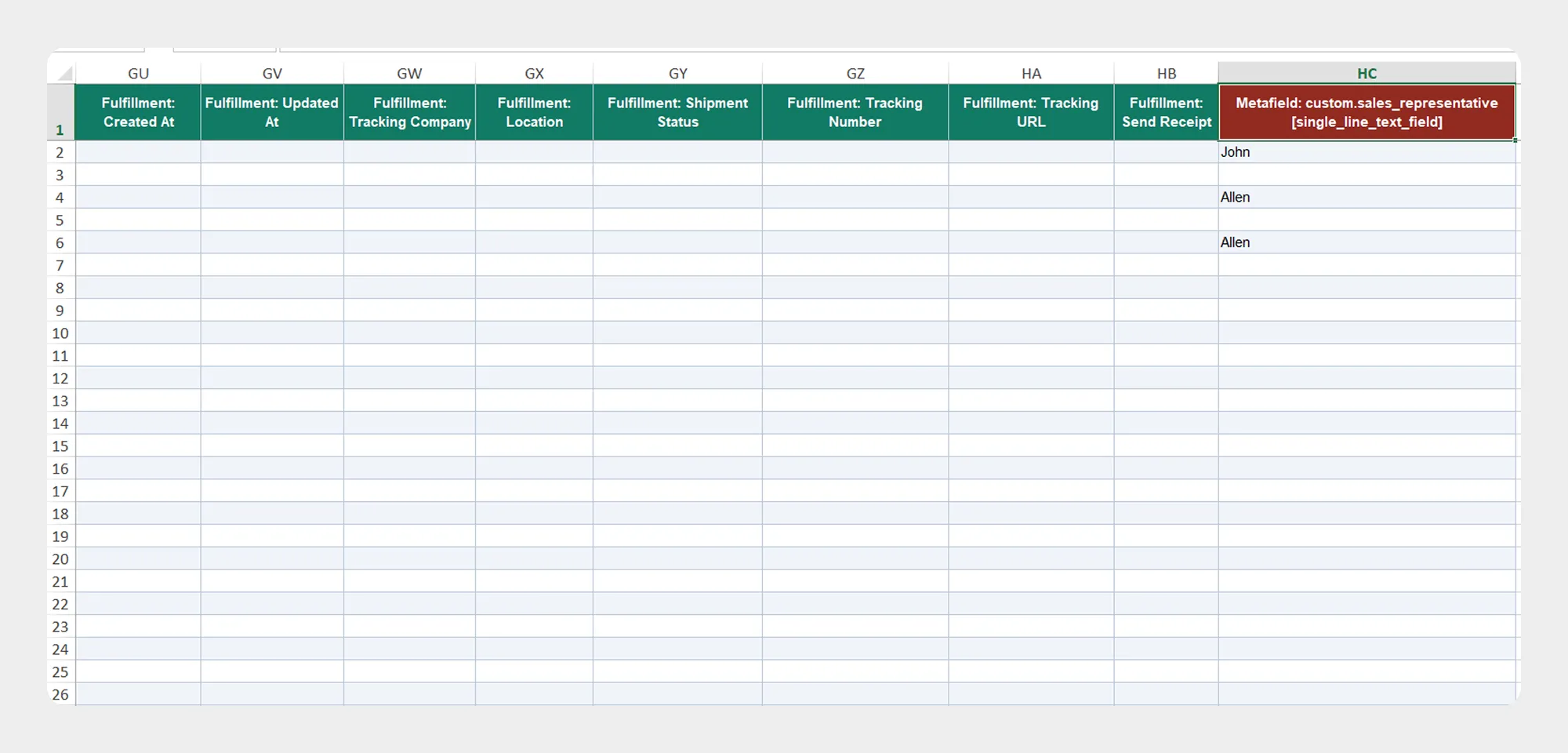
| Column | Description | Allowed Values / Examples |
|---|---|---|
| Metafield | Contains supported metafield information associated with the order. | Shopify-supported metafield data |
Important: The metafield structure should match the metafield definitions configured in your Shopify store.
Preparing an Order Import File
When preparing an order import file:
- Download the available Order Demo CSV/XLSX file, if provided.
- Review the Order Template Documentation.
- Use the exact column names supported by the Migrato Order template.
- Enter the order data according to the expected field format.
- Save the file as CSV or XLSX.
- Upload the file to Migrato or provide a publicly accessible file URL, where supported.
- Review the available import operation before starting the import.
- Review the import options and confirm the data before processing the file.
Tip: Using a Migrato-generated order export as the starting point can help maintain the correct column names and structure when preparing data for re-import.
 Install Migrato free
 Free plan forever