 Our first app, Migrato, is live on the Shopify App Store

Export Payouts Data
How to export payouts from Shopify to a CSV or XLSX file. 3 min read
 Updated 14 October 2026
 Applies to Migrato on all plans
Migrato allows you to import and export Shopify Payouts data using CSV or XLSX files. You can select the required Payout fields, export existing payout data, prepare payout data for import, and use supported filters to export only the payouts that match specific conditions.
Payout import/export can be used to transfer, manage, analyze, or maintain payout information in bulk instead of processing payout records individually.
We recommend reviewing the Payout Template Documentation and downloading the Payout Demo CSV/XLSX file, if available, to understand the supported fields and expected data structure.
Export Payouts
Migrato also allows you to export Shopify Payout data into a downloadable CSV or XLSX file.
Payout exports can be useful for:
-
 Financial reporting
-
Payment reconciliation
-
Data analysis
-
Record keeping
-
Store administration
-
Accounting workflows
-
Data migration
Step 1: Open Payout Export
From your Shopify Admin:
- Go to Apps → Migrato.
- Open the Export section.
- Select Payouts.
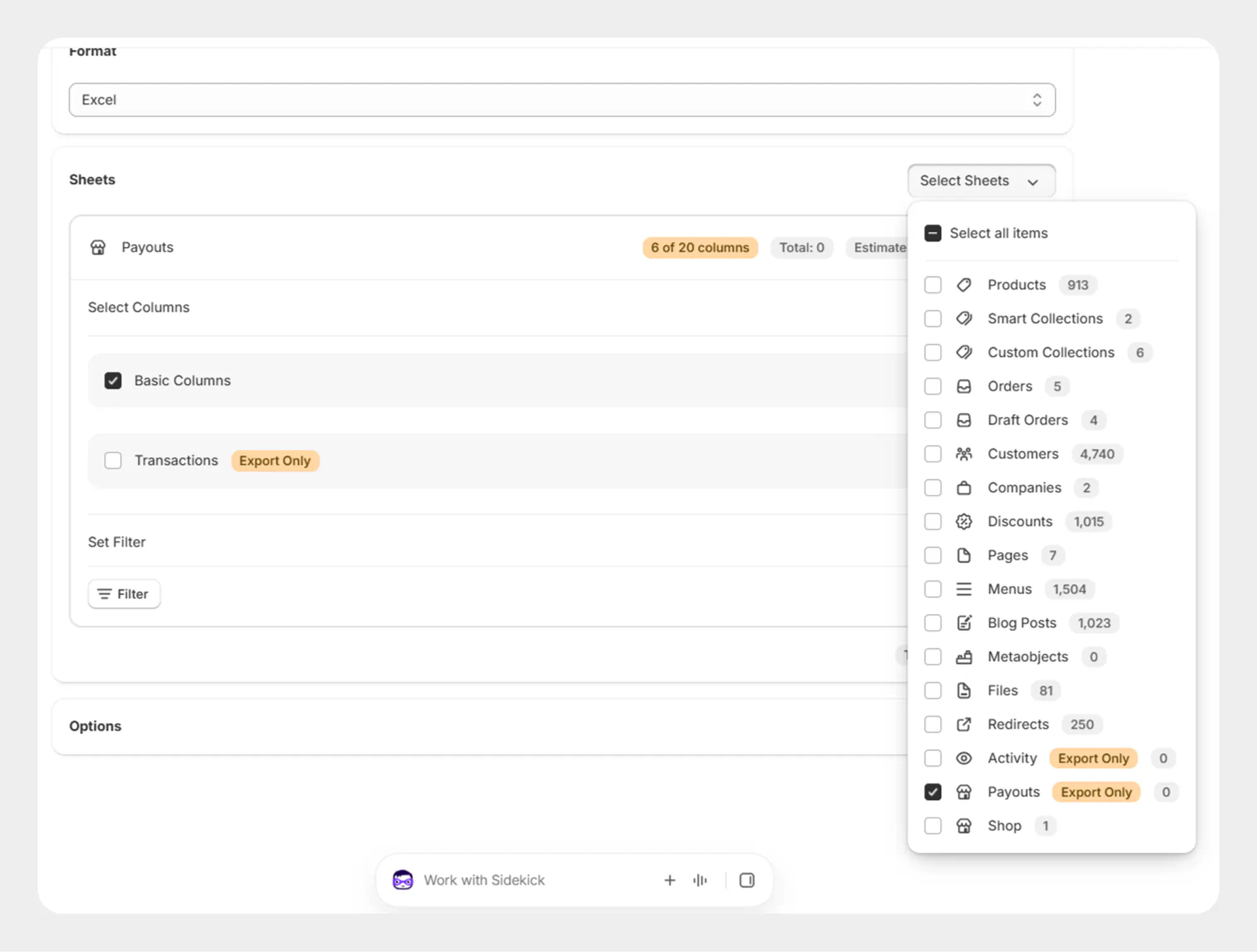
Step 2: Select Payout Fields
Select the payout fields you want to include in the export.
Migrato provides the following field groups:
-
Basic Columns
-
Transactions (Export Only)
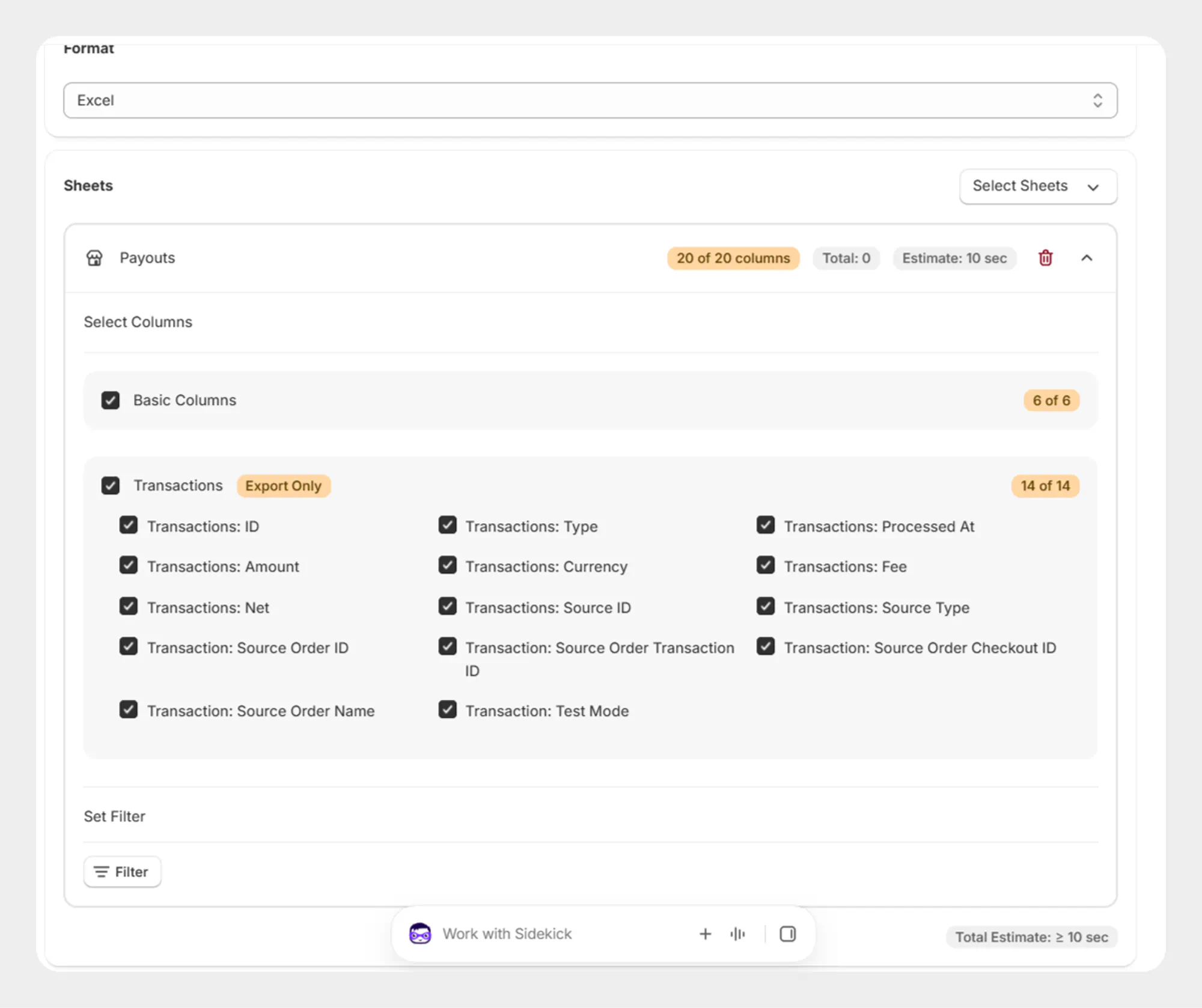
Select the fields required for your export.
Step 3: Apply Payout Filters
If you only need payouts from a specific period, use the Filters section.
The available Payout filter is:
-
Date
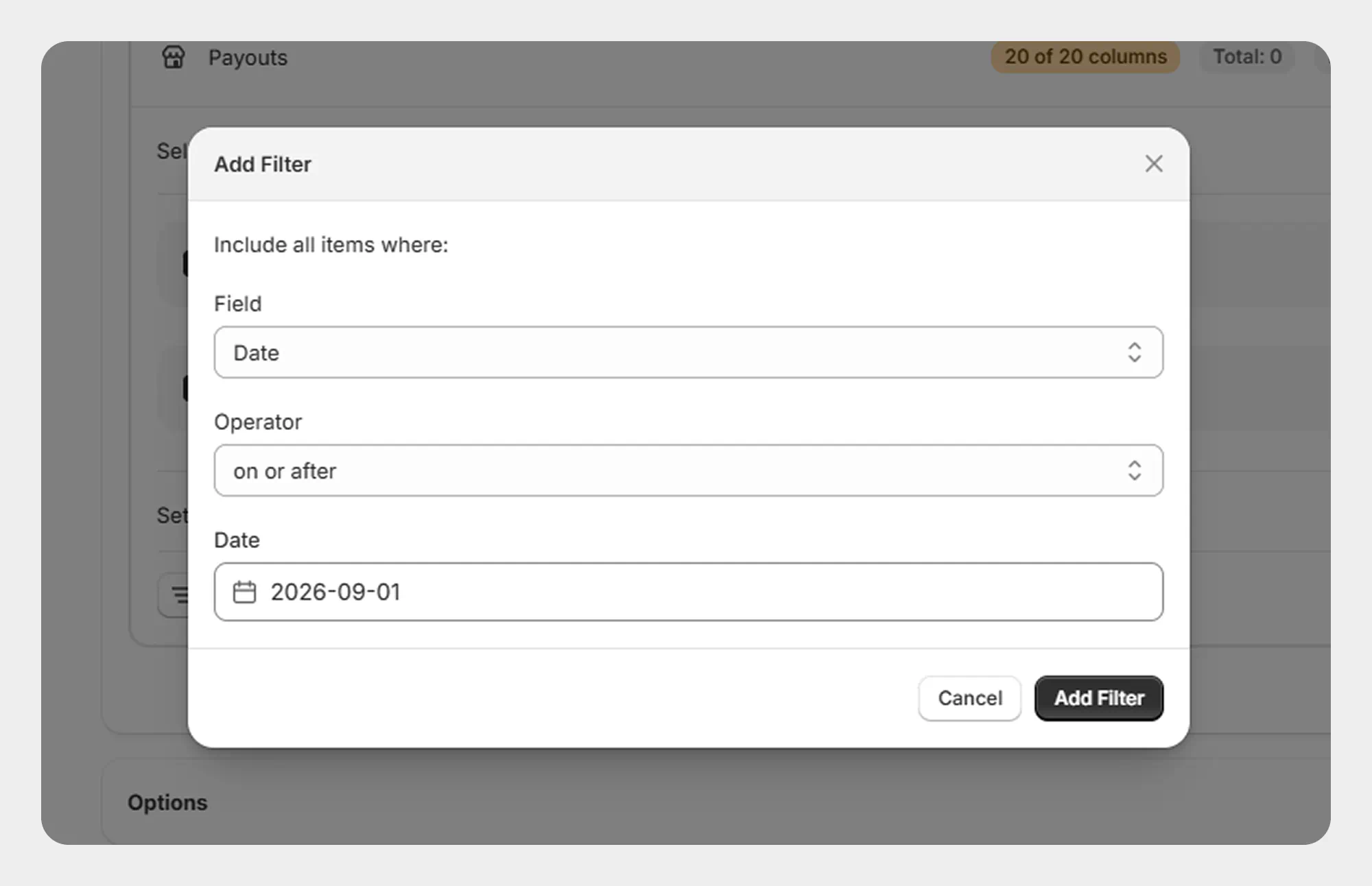
For complete information about the available Payout filter, see 18.3 Filter Payouts.
Step 4: Start the Export
After selecting the required fields and filter, start the export.
Migrato processes the selected payout data and creates the export file.
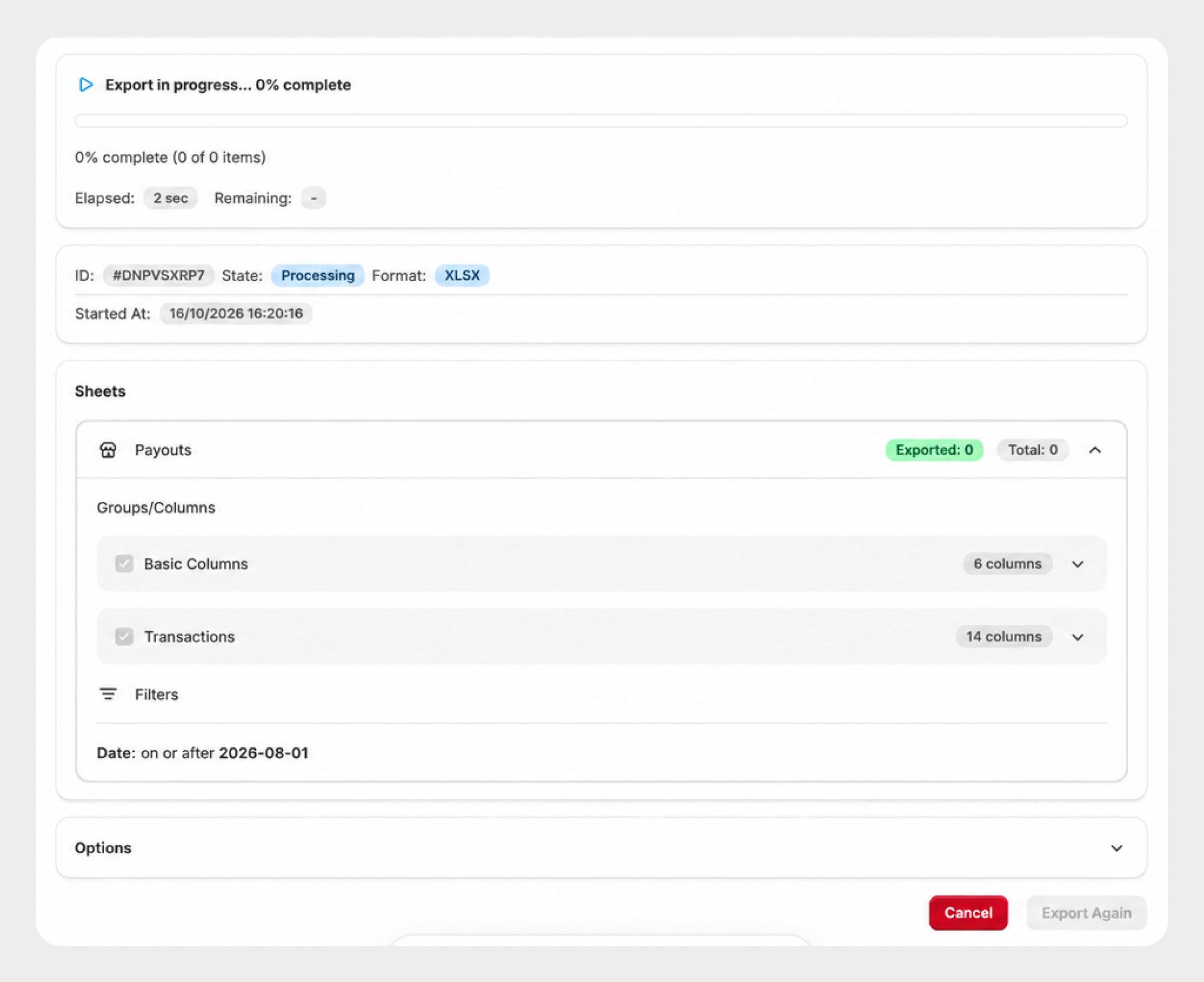
Step 5: Review the Export Result
After the export is completed, review the export result.
The result may include information such as:
-
Export status
-
Exported file name
-
File format
-
Number of records exported
-
Processing duration
-
Selected payout fields
-
Applied filter
Payouts entity export only real transactions. If your store has actual transactions, they will be exported based on the applied filters, if any.
You can download the generated export file from the completed export screen.
Supported Payout Data
Migrato provides the following Payout fields for import and export.
Basic Columns
| Column | Description | Allowed Values / Examples |
|---|---|---|
| ID | Unique identifier of the payout. | Number / Shopify Payout ID |
| Status | Current status of the payout. | Supported Shopify payout status |
| Date | Date associated with the payout. | Date |
| Month | Month associated with the payout. | Month / 2026-08 |
| Currency | Currency used for the payout amount. | Currency code — USD, EUR, GBP |
| Amount | Total amount associated with the payout. | Decimal number — 1250.50 |
Transactions
The Transactions group contains transaction-level information associated with the payout. These fields are export-only.
| Column | Description | Allowed Values / Examples |
|---|---|---|
| Transactions: ID | Unique identifier of the transaction included in the payout. | Shopify Transaction ID |
| Transactions: Type | Type of transaction associated with the payout. | Supported transaction type |
| Transactions: Processed At | Date and time when the transaction was processed. | Date/time |
| Transactions: Amount | Amount associated with the transaction. | Decimal number |
| Transactions: Currency | Currency used for the transaction. | Currency code — USD, EUR, GBP |
| Transactions: Fee | Fee associated with the transaction. | Decimal number |
| Transactions: Net | Net amount associated with the transaction after applicable fees. | Decimal number |
| Transactions: Source ID | Identifier of the source associated with the transaction. | Shopify resource ID |
| Transactions: Source Type | Type of source associated with the transaction. | Supported source type |
| Transaction: Source Order ID | Shopify order ID associated with the transaction source. | Shopify Order ID |
| Transaction: Source Order Transaction ID | Order transaction ID associated with the transaction source. | Shopify Order Transaction ID |
| Transaction: Source Order Checkout ID | Checkout ID associated with the source order. | Shopify Checkout ID |
| Transaction: Source Order Name | Name or number of the source order. | Order name — #1001 |
| Transaction: Test Mode | Indicates whether the transaction was processed in test mode. | Yes / No |
Transaction fields are available for export only according to the current Payout template.
 Free plan forever