 Our first app, Migrato, is live on the Shopify App Store

Export Activity Data
How to export activity records from Shopify to a CSV or XLSX file. 2 min read
 Updated 14 October 2026
 Applies to Migrato on all plans
Migrato allows you to import and export Shopify Activity data using CSV or XLSX files. You can select the required Activity fields, export existing Activity records, prepare Activity data for import, and review activity information in a structured format.
Activity data can be used to manage, transfer, analyze, or maintain records of actions and events associated with supported Shopify resources.
We recommend reviewing the Activity Template Documentation and downloading the Activity Demo CSV/XLSX file, if available, to understand the supported fields and expected data structure.
Export Activity
Migrato also allows you to export Shopify Activity data into a downloadable CSV or XLSX file.
Activity exports can be useful for:
-
 Activity reporting
-
Data analysis
-
Record keeping
-
Store administration
-
Auditing supported activity information
-
Data migration
-
External data processing
Step 1: Open Activity Export
From your Shopify Admin:
- Go to Apps → Migrato.
- Open the Export section.
- Select Activity.
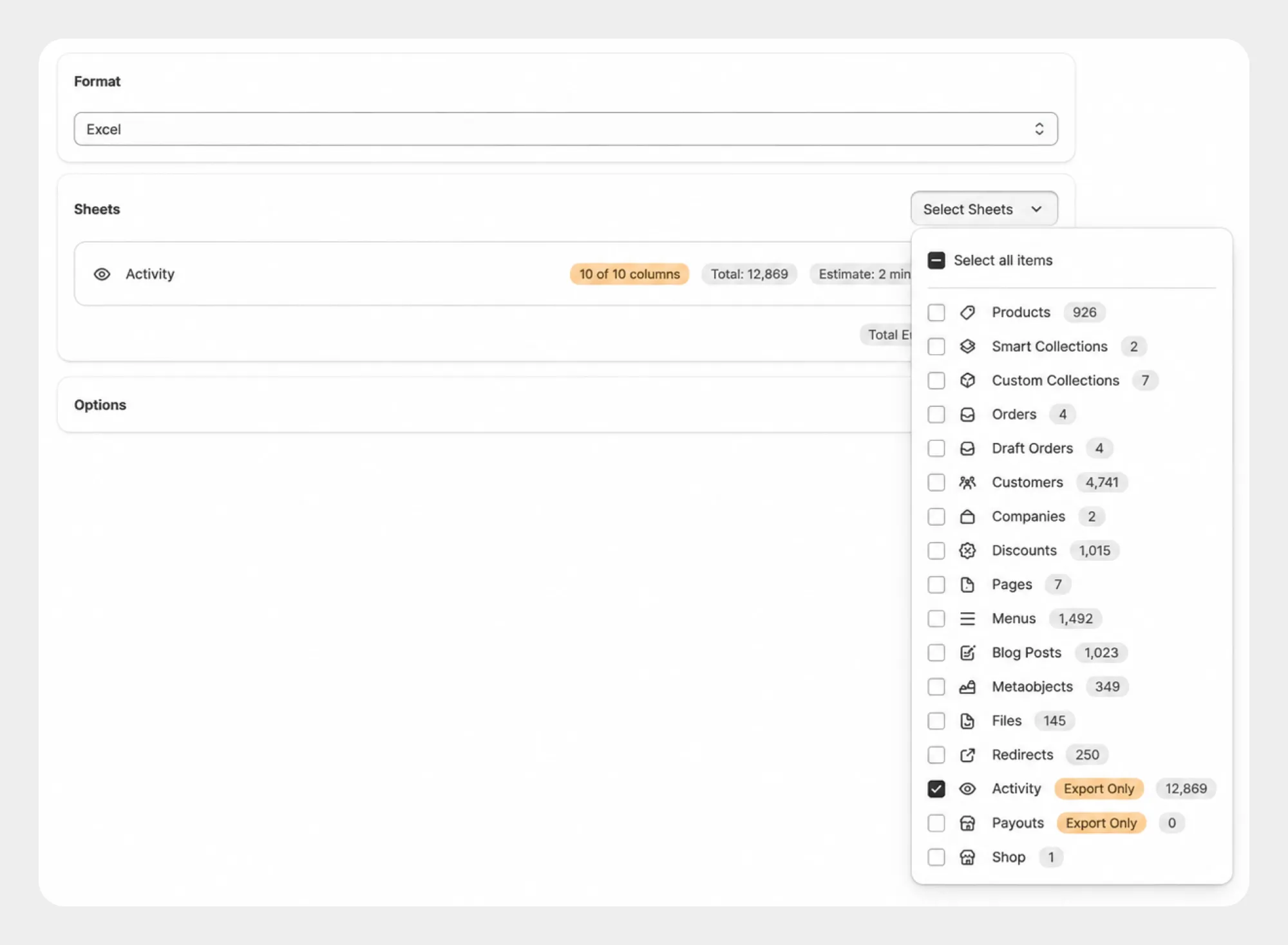
Step 2: Select Activity Fields
Select the Activity fields you want to include in the export.
Migrato provides the following Activity field groups:
-
Basic Columns
-
Subject and Activity Information, represented through the supported Activity columns.
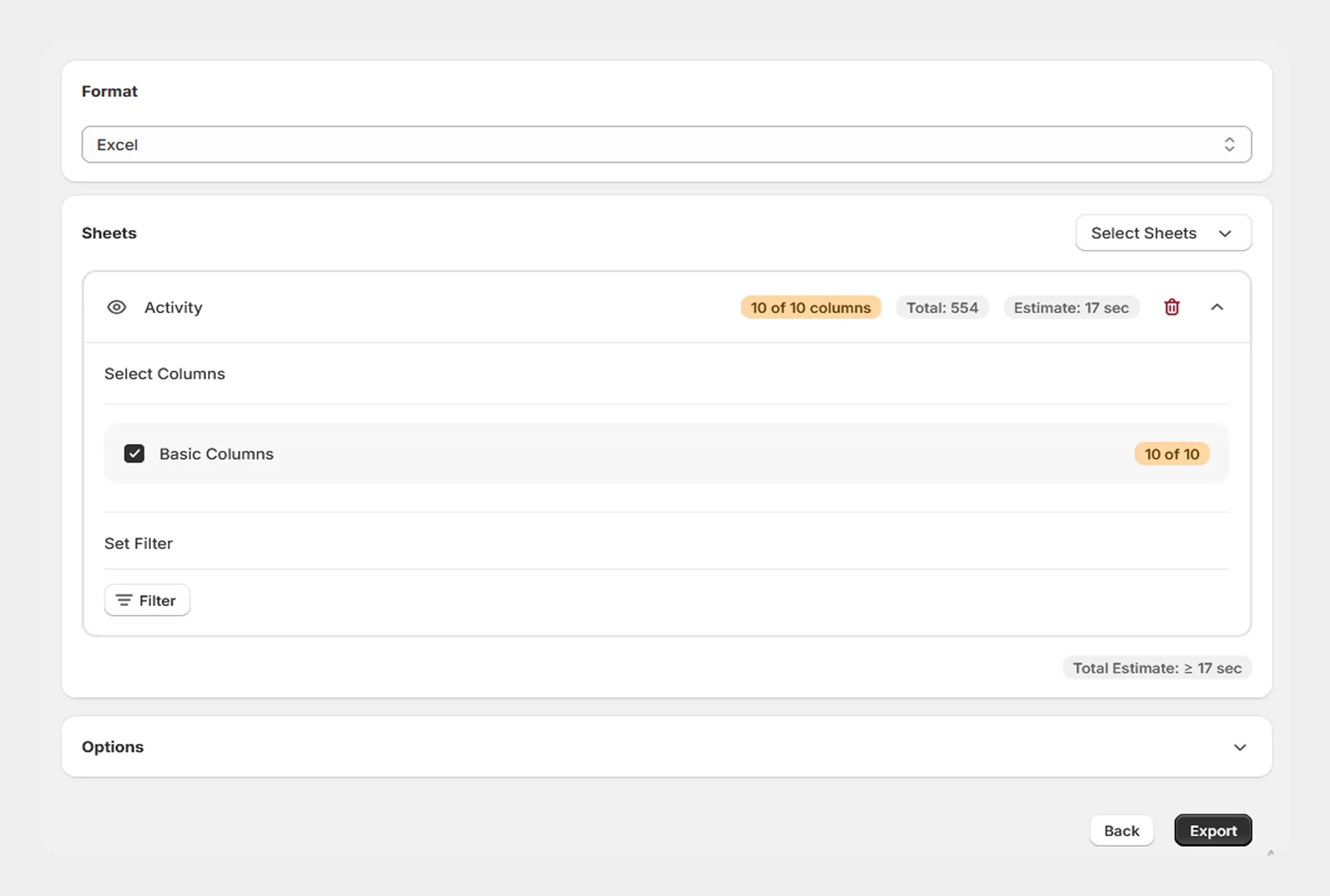
Select the fields required for your export.
Step 3: Apply Activity Filters
If you only need specific Activity records, use the Filters section.
The available Activity filters are:
-
Subject Type
-
Verb
-
Created At
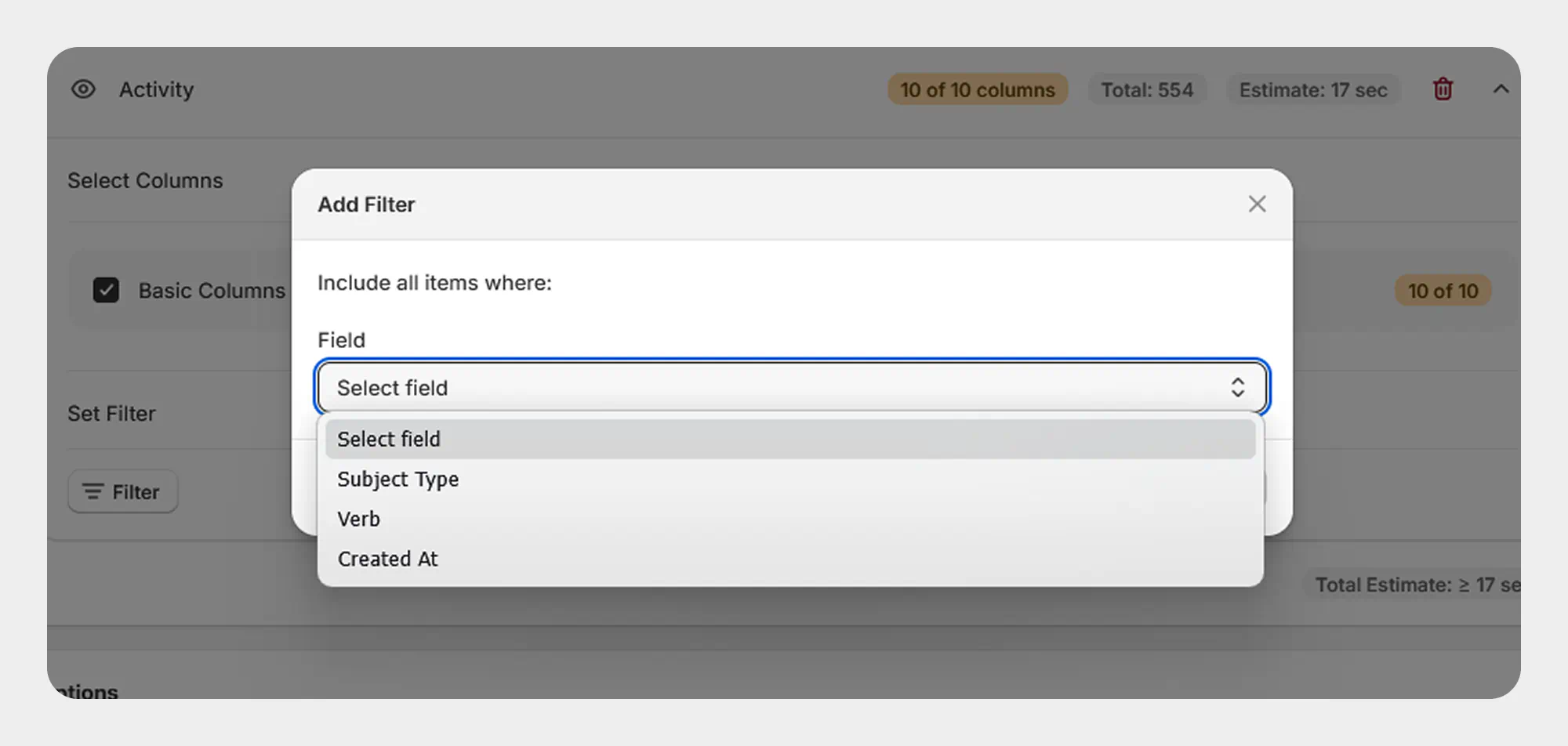
For complete information about available Activity filters, see 17.3 Filter Activity.
Step 4: Start the Export
After selecting the required fields and filters, start the export.
Migrato processes the selected Activity data and creates the export file.
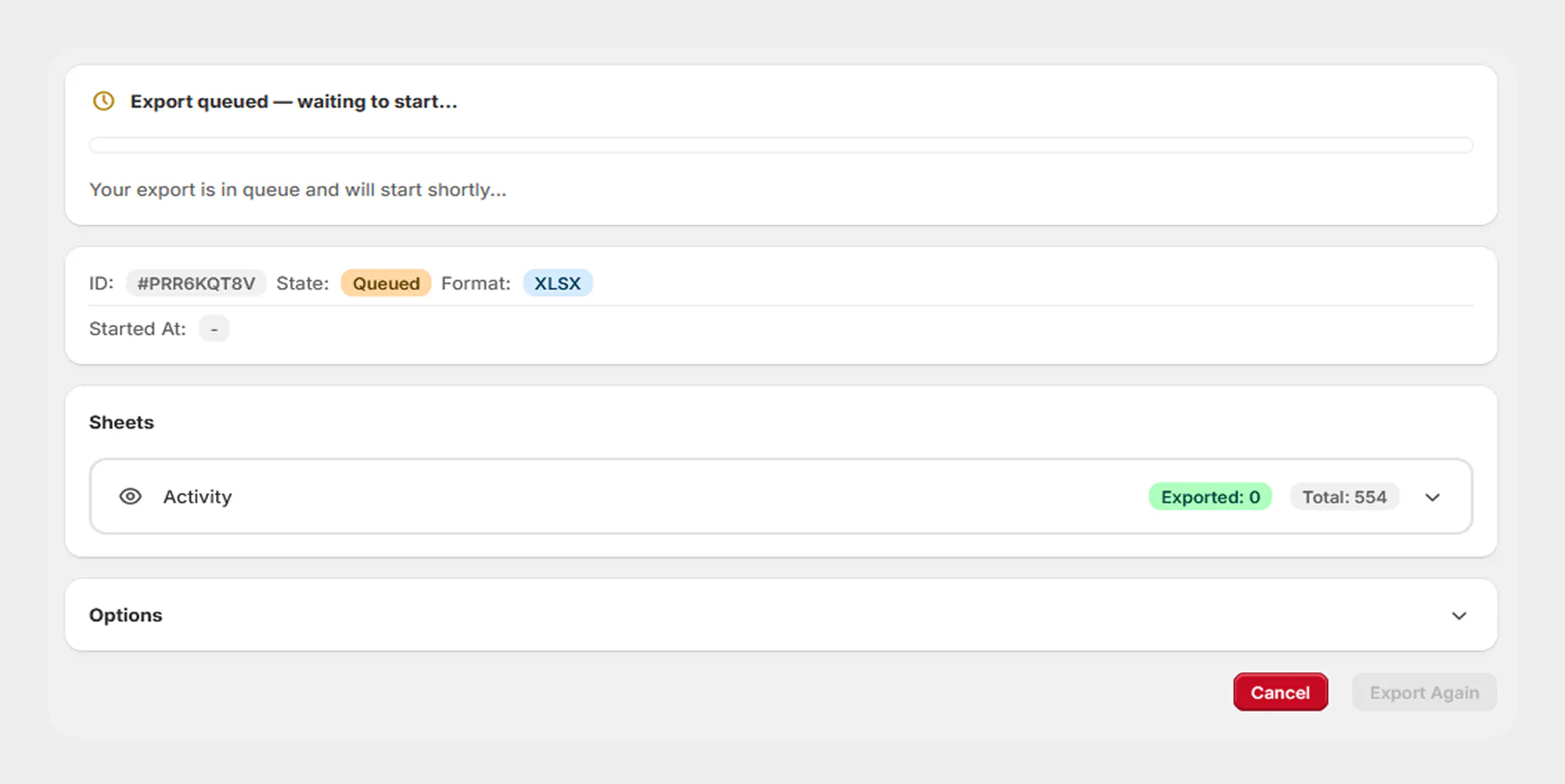
Step 5: Review the Export Result
After the export is completed, review the export result.
The result may include information such as:
-
Export status
-
Exported file name
-
File format
-
Number of records exported
-
Processing duration
-
Selected Activity fields
-
Applied filters
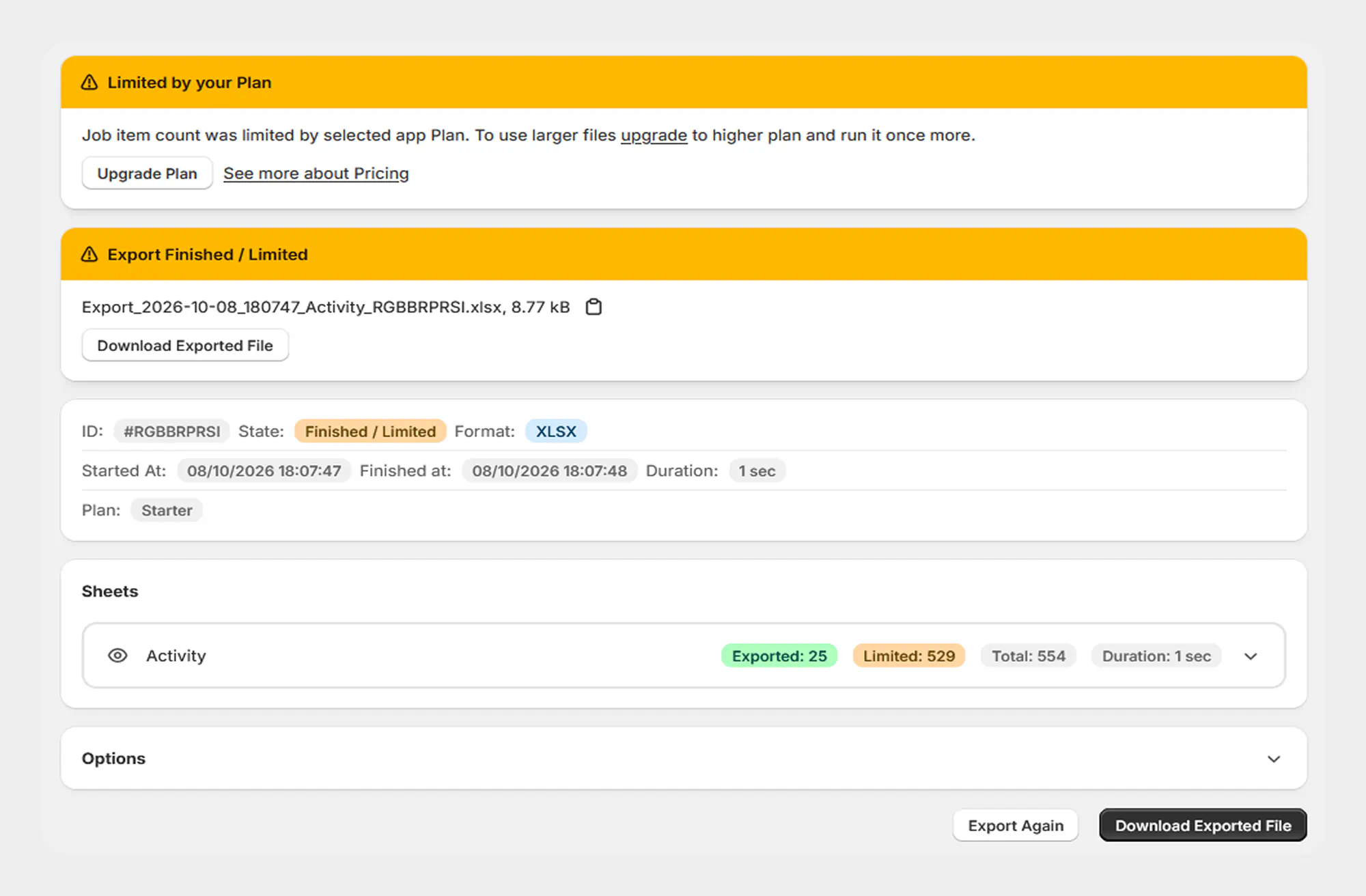
You can download the generated export file from the completed export screen.
Supported Activity Data
Migrato provides the following Activity columns for import and export:
| Column | Description | Allowed Values / Examples |
|---|---|---|
| ID | Unique identifier of the Activity record. | Shopify Activity ID |
| Message | Message associated with the Activity record. | Text |
| Created At | Date and time when the Activity record was created. | Date/time — 2026-08-13 10:30:00 |
| Subject ID | Identifier of the resource associated with the Activity. | Shopify resource ID |
| Subject Type | Type of resource associated with the Activity. | Text / supported Shopify subject type |
| Verb | Action or event represented by the Activity record. | Text / supported activity verb |
| Author | Author associated with the Activity. | Text |
| Arguments | Arguments or additional information associated with the Activity. | Text / supported data |
| Path | Path associated with the Activity record. | Text / path |
| Body | Body or additional content associated with the Activity. | Text |
The exact values supported for fields such as Subject Type, Verb, Author, Arguments, Path, and Body depend on the Activity data available in Shopify and the current Migrato implementation.
 Free plan forever